Spy Bulb Camera: 360-Degree Light Bulb Security System Eliminates Monthly Subscription Fees While Helping Deter Package Theft
1080p WiFi Light Bulb Security Camera With 360° Coverage, Night Vision, Motion Detection & SD Storage Stops Package Theft - No Subscription or Installation Required
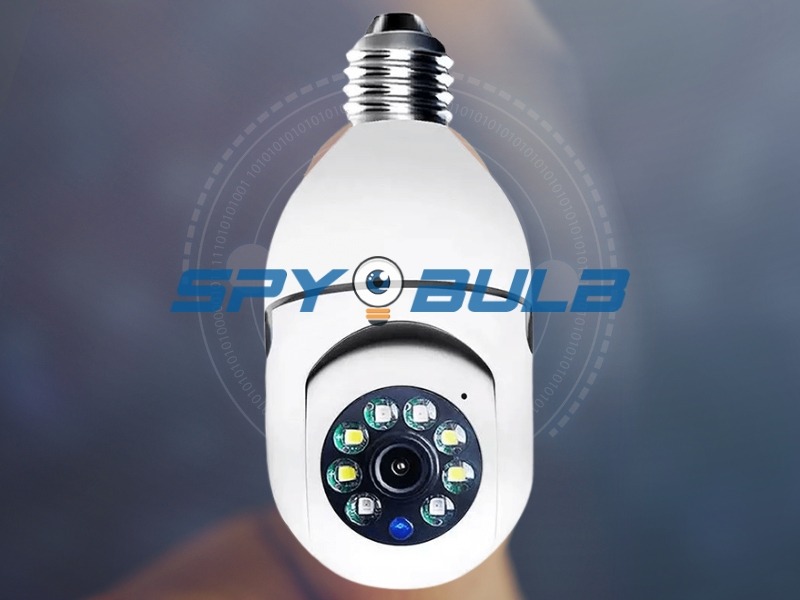
SAN FRANCISCO, November 16, 2025 (Newswire.com) - As package theft continues affecting American neighborhoods-with industry research from Security.org's 2024 survey indicating that approximately 36 percent of households experienced at least one delivery theft in the past year-and as traditional security camera systems increasingly require ongoing cloud storage subscriptions that can cost $120 to $360 annually per camera, a New Hampshire-based home security company has introduced a surveillance solution designed to address both concerns: the Spy Bulb Camera, a 1080p HD security system integrated into a standard E26 light bulb format that installs without wiring or drilling and operates without mandatory subscription requirements.
Spy Bulb Camera: Revolutionary Light Bulb Security System Offers Subscription-Free Home Surveillance With 360-Degree Coverage That Helps Deter Package Theft Through Documented Monitoring
Discreet WiFi-Enabled Smart Bulb Camera Delivers Professional-Quality Video Recording Without Mandatory Monthly Fees, Combining Easy Installation With Local Storage Privacy Control
TLDR: The Spy Bulb Camera combines 1080p full HD video recording, 360-degree panoramic coverage with smartphone-controlled pan-tilt positioning, infrared night vision capabilities, motion-activated detection with real-time smartphone alerts, two-way audio communication, and local micro SD card storage within a light bulb housing that draws power directly from existing fixtures. Current promotional pricing starts at $46.00 per unit with multi-camera bundle discounts available, though customers should verify final pricing on the official website as promotional rates are subject to change. The subscription-free local storage approach may help homeowners avoid the estimated $120 to $300 in annual per-camera cloud storage fees that competing systems often require, though optional cloud backup services remain available for users preferring redundant storage.
In This Release, You'll Discover:
How light bulb security cameras deliver home surveillance capabilities without mandatory monthly subscription fees, professional installation requirements, or complex network video recorder infrastructure
Why 360-degree panoramic coverage with remote pan-tilt control can provide broader monitoring range than fixed-angle security cameras for single-position whole-room surveillance
What distinguishes WiFi-enabled smart bulb cameras from conventional outdoor security systems in terms of installation approach, total cost of ownership, local storage privacy options, and ongoing operational expenses
How motion detection technology paired with smartphone push notifications can help document package deliveries and create recorded evidence of porch activity
Where homeowners, rental property managers, small business operators, and family caregivers are implementing light bulb surveillance systems across diverse monitoring applications
What technical specifications matter when evaluating security camera bulbs including video resolution, night vision range, weather resistance requirements, WiFi compatibility, and storage options
How integrated two-way audio communication enables real-time voice interaction with visitors and delivery personnel-plus the important legal considerations about audio recording laws that vary by state
Why local SD card storage offers certain privacy advantages and eliminates subscription dependency compared to cloud-based security camera systems
Which specific use cases-from delivery monitoring and pet supervision to elderly wellness checks and vacation home security-align well with light bulb camera capabilities and limitations
How total cost of ownership calculations can help evaluate subscription-free cameras against cloud-dependent alternatives across multi-year ownership periods
Understanding the Package Theft Challenge Facing American Homeowners
Package theft has evolved from an occasional urban problem into a concern affecting communities nationwide. According to Security.org's 2024 Package Theft Report, which surveyed 1,000 American households, approximately 36 percent of respondents reported experiencing at least one package theft in the past year. While exact national figures vary by source and methodology, multiple consumer research organizations and insurance industry studies confirm that delivery theft represents a growing security concern for residential properties.
The explosive growth of e-commerce-with the U.S. Census Bureau reporting e-commerce sales exceeding $1 trillion annually-has created corresponding increases in residential delivery frequency. Some households now receive packages multiple times weekly, creating predictable patterns that opportunistic thieves can observe and exploit.
The porch pirate prevention camera category emerged as homeowners sought surveillance solutions specifically addressing delivery monitoring. Traditional doorbell cameras provide limited field-of-view angles that may miss approach routes or departure directions. Wall-mounted security cameras clearly telegraph their presence, which can deter some theft but may also prompt thieves to simply avoid monitored properties while targeting unprotected neighbors instead.
Light bulb security cameras offer certain tactical characteristics for package delivery documentation that differ from conventional camera formats. Overhead mounting positions typical of porch light fixtures provide downward viewing angles that can capture facial features as individuals approach doors-perspectives that waist-height doorbell cameras may not replicate. The 360-degree panoramic capability can track subjects from property entry through package interaction and departure, potentially documenting fuller incident sequences rather than brief partial captures.
Important Reality Check: No security camera-regardless of type, price, or features-can guarantee prevention of package theft or property crime. Determined thieves may operate despite surveillance presence, disable cameras, conceal identifying features, or simply accept documentation risk. Security cameras work best as one component of comprehensive property protection that should also include quality door locks, adequate exterior lighting, community awareness programs, and prompt reporting of suspicious activity to local law enforcement. Cameras help deter opportunistic crime and provide potential evidence for investigation, but they're monitoring tools, not force fields.
Real-time motion detection alerts notify homeowners when activity occurs in monitored zones, typically within seconds of detected movement. This immediate awareness enables various responses through two-way audio communication. Homeowners can verbally acknowledge legitimate delivery personnel, request specific package placement in less visible locations, or challenge suspicious individuals through direct voice interaction from smartphone apps-all before physical contact occurs.
Disclaimer: While security cameras may help deter certain opportunistic crimes and provide valuable documentation for law enforcement investigation, no surveillance system can guarantee prevention of theft, property crime, or unauthorized access. Homeowners should implement multiple security layers and report all suspicious activity and criminal incidents to appropriate local law enforcement authorities.
The Subscription Cost Reality in Traditional Security Camera Ownership
Understanding the complete financial picture of security camera ownership requires looking beyond initial purchase prices to evaluate total costs across realistic multi-year ownership periods. Industry analysis reveals that ongoing subscription fees for cloud storage and advanced features often exceed original equipment costs within 12-24 months of ownership.
Traditional cloud-dependent security camera systems typically require monthly or annual subscriptions for video storage access, with fees commonly ranging from $2.99 to $14.99 per camera monthly depending on video quality, storage duration, and features like AI person detection or activity zones. For households installing four cameras for comprehensive property coverage, monthly subscription costs can easily reach $40 to $60, totaling $480 to $720 annually.
Over a standard five-year ownership period, cloud storage subscription costs can accumulate to $2,400 to $3,600-frequently exceeding original camera purchase prices by factors of three to five times. This subscription dependency creates an ongoing financial obligation where canceling storage access eliminates much of the practical value of owning security cameras, as recorded footage becomes inaccessible the moment subscriptions lapse.
The subscription-free security camera approach using local micro SD card storage eliminates mandatory recurring expenses. While micro SD cards represent modest one-time purchases (typically $10 to $40 depending on storage capacity), they provide footage access without monthly fees, annual renewals, or account management requirements.
Let's Be Honest About Optional Costs: The Spy Bulb Camera's core recording features work without mandatory subscriptions-footage saves directly to your micro SD card and you control it completely. However, if you want optional cloud backup for extra protection against SD card failure or camera theft, the manufacturer does offer cloud storage plans as an add-on service. We're mentioning this upfront because transparent information serves you better than discovering surprise fee options later. For most homeowners, the local SD card approach works well and keeps costs to a one-time purchase. But cloud backup options exist if that redundancy matters to your specific situation.
Total Cost of Ownership: Real Comparison
Let's break down actual five-year costs using verified pricing:
Spy Bulb Camera System (Subscription-Free Model):
Four cameras at current promotional pricing: approximately $148-$184 (verify current bundle rates on official website)
Four 32GB micro SD cards: approximately $40
Standard shipping: approximately $10
Total upfront investment: approximately $198-$234
Years 1-5 mandatory subscription fees: $0
Five-year total: approximately $198-$234
Traditional Cloud Camera System (Subscription-Dependent Model):
Four comparable cameras: approximately $200-$400
Year 1 cloud storage at $8/camera monthly: $384
Years 2-5 cloud storage: $1,536
Five-year total: approximately $2,120-$2,320
Potential Five-Year Savings: $1,886 to $2,122
These savings calculations assume promotional pricing remains available and represent estimates based on typical subscription costs as of November 2025. Actual costs vary based on specific product selections, promotional availability, and subscription tier choices.
Important Pricing Disclaimer: Promotional pricing, discount availability, bundle configurations, and special offers may change or expire at manufacturer discretion without notice. The pricing comparisons provided represent estimates based on information available at publication time and should not be considered guaranteed pricing commitments. Customers must verify all current pricing, available discounts, bundle options, and subscription costs directly on official manufacturer websites before making purchase decisions. Shipping costs, applicable sales taxes, and optional accessory purchases may increase total costs beyond base pricing figures quoted.
How Light Bulb Security Camera Technology Actually Works
The Spy Bulb Camera integrates several surveillance technologies into a compact housing designed to fit standard residential and commercial light fixtures. Understanding the actual technical capabilities-and realistic limitations-helps you evaluate whether this approach matches your specific monitoring needs.
Core Camera Components:
The device houses a 1080p HD camera sensor capturing video at 1920x1080 resolution. To put that in perspective, 1080p matches broadcast television quality and exceeds the 720p resolution found in many budget security cameras. This resolution provides sufficient detail for recognizing familiar faces at typical monitoring distances.
Here's the reality on identification: For people you know-family members, regular delivery drivers, frequent visitors-1080p lets you clearly identify them from about 15 feet away in good lighting. For unknown individuals where you're trying to capture identifying details for law enforcement, figure on 8-12 feet being your reliable range for facial clarity. Beyond that, you'll still see activity and general shapes, but fine details like facial features get progressively less distinct. That's pretty standard performance for consumer-grade cameras in this price range.
The eight-element infrared LED array enables night vision in complete darkness. Manufacturer specifications indicate effective infrared illumination to approximately 30 feet in total darkness-that's roughly the width of a typical suburban lot or about three parking spaces lengthwise. These passive infrared LEDs emit light invisible to human eyes, maintaining covert surveillance capability without creating visible illumination that might alert subjects or disturb neighbors.
Night Vision Reality Check: Infrared night vision produces black-and-white footage (not color) because infrared operates in light spectrums our eyes can't perceive as color. While you'll get clear activity detection out to that 30-foot range, facial recognition quality sufficient for identifying unknown persons typically requires closer distances-figure 8-12 feet for reliable nighttime identification. You'll see movement and general shapes farther out, but details get fuzzy. If you need to identify unknown faces from 30 feet away in pitch darkness, you'd need to step up to more expensive commercial-grade equipment with more powerful infrared arrays. For monitoring package deliveries, checking on pets, or seeing who's approaching your door, this night vision capability does the job well.
The panoramic lens system provides 360-degree horizontal rotation controlled remotely through smartphone commands. Vertical tilt typically spans 90 degrees, allowing ceiling-to-floor coverage in overhead installations. This mechanical flexibility means one strategically positioned unit can monitor entire rooms or covered porches that might otherwise require multiple fixed cameras to eliminate blind spots.
WiFi Connectivity Architecture:
Standard 2.4GHz WiFi connectivity transmits live video feeds directly to iOS and Android smartphones through dedicated mobile applications. This wireless design eliminates the cable routing and network video recorder infrastructure required by traditional wired security camera systems-no drilling through walls, no attic cable runs, no dedicated recording boxes.
Important Technical Limitation: The camera supports only 2.4GHz WiFi networks and cannot connect to 5GHz frequencies. Many modern routers broadcast both simultaneously (dual-band routers). During setup, make sure your smartphone connects to the 2.4GHz network for successful camera pairing. The 2.4GHz limitation reflects engineering tradeoffs: this frequency provides better signal penetration through walls and longer effective ranges compared to 5GHz, making it more reliable for whole-home coverage. The tradeoff is slower maximum data speeds, but for security camera video streaming (typically 2-4 Mbps for 1080p), 2.4GHz bandwidth proves entirely adequate.
Motion Detection Technology:
Passive infrared sensors identify heat signature changes within monitored fields of view, distinguishing between stationary backgrounds and moving warm objects like people, vehicles, or animals. When motion triggers, the system can initiate multiple automated responses: instant smartphone push notifications, automatic recording to local micro SD cards, audible alarm activation, and email alerts with captured still images.
Adjustable sensitivity settings let you calibrate detection thresholds. Set sensitivity too high and you'll get alerts from minor movements like tree branches, passing birds, or shifting shadows. Set it too low and you might miss legitimate activity. Finding that sweet spot takes some experimentation with your specific environment, but the mobile app makes adjustments straightforward.
Customizable detection zones let you monitor specific areas while ignoring others-useful for excluding neighboring properties, public sidewalks, or zones prone to constant motion that would trigger excessive alerts.
Power Architecture and Critical Consideration:
The device draws operating power directly from the E26 light socket, eliminating battery replacement headaches or solar panel dependencies. Continuous power enables true 24/7 operation without the charging interruptions that affect battery-powered cameras.
Critical Operational Requirement: The light fixture switch must stay in the "on" position continuously for the camera to maintain surveillance functionality. Accidentally switching off fixture power completely disables the camera until power restores. This represents an important consideration when selecting installation locations.
Some homeowners address this by installing switch guards that prevent accidental shutoffs, replacing standard switches with always-on configurations, or selecting fixtures where switches rarely get used (like outdoor porch lights that typically stay on continuously). Others simply label switches clearly: "Camera Power - Do Not Turn Off."
360-Degree Panoramic Coverage: Real Advantages Over Fixed Cameras
Traditional security cameras capture footage within fixed fields of view typically ranging from 90 to 130 degrees horizontally-roughly one-quarter to one-third of a full circle. Getting comprehensive property coverage with fixed cameras requires multiple strategically positioned units, multiplying equipment costs and installation complexity.
The panoramic design of the 360-degree surveillance camera changes that calculation. You control camera positioning through smartphone app commands, panning horizontally across the complete 360-degree radius and tilting vertically. This flexibility provides certain practical advantages for residential surveillance that fixed cameras can't match.
Single-Camera Whole-Room Monitoring:
A ceiling-mounted unit in a garage center can monitor parked vehicles, tool storage, workbench areas, access doors, and garage door mechanisms from one position. That's coverage that might otherwise require three to four fixed cameras positioned strategically to eliminate blind spots.
For covered porches, one overhead unit can track the full area from entry steps through seating zones to property edges, capturing package deliveries from approach through completion without the coverage gaps created by fixed camera limitations.
Automated Motion Tracking:
Motion tracking features automatically follow detected movement within the frame, keeping subjects centered as they move through monitored spaces. For package delivery documentation specifically, this proves valuable: the camera autonomously tracks delivery personnel from vehicle parking through approach, package placement, and departure, maintaining clear subject focus throughout without manual control.
Here's What This Really Means: In a package theft scenario, your footage shows the perpetrator from initial property entry, documents approach routes and any vehicle visible, captures facial features during package retrieval (within those 8-15 foot identification ranges we mentioned), and records escape directions. That's a complete evidence package versus the brief partial glimpse you might get from a fixed camera with limited field of view. Whether that evidence leads to recovery or prosecution depends on many factors outside the camera's control, but you're providing law enforcement with substantially more investigative material.
Flexible Coverage Adaptation:
Your monitoring priorities change over time. New furniture might create blind spots for fixed cameras. Landscaping grows and blocks views. Kids' play areas shift. The remotely adjustable coverage of panoramic cameras adapts through simple app commands rather than requiring physical camera repositioning or additional unit installations.
You can create multiple preset viewing positions accessed through app shortcuts-one preset for driveway and street monitoring, another covering the front door, a third tracking the side yard. It's like having multiple cameras in one unit, adaptable to whatever you need to watch at any given moment.
Package Delivery Monitoring: Tactical Deployment and Realistic Expectations
Security.org's research indicates package theft affects millions of American households annually. The package theft prevention camera offers specific characteristics for delivery monitoring, though it's important to understand both capabilities and limitations.
Optimal Installation Positioning:
Overhead porch light fixtures provide advantageous mounting positions for package surveillance. The elevated downward viewing angle captures facial perspectives as subjects approach doors-angles that chest-height doorbell cameras can't replicate without subjects looking directly at lenses.
The panoramic coverage from ceiling positions can encompass approach routes from sidewalks or driveways, through door approaches, and back to departure paths-tracking subjects continuously rather than capturing brief appearances within narrow fixed views.
Real-Time Awareness and Response:
Motion detection alerts typically notify homeowners within 3-5 seconds of detected movement. This immediate awareness enables various responses through two-way audio:
You can verbally acknowledge delivery personnel, establishing documented proof of delivery completion. For valuable shipments, direct communication lets you request specific placement-behind porch furniture, inside screen doors, or other less street-visible positions.
When suspicious individuals approach during non-delivery hours, immediate verbal challenges through camera speakers often prompt departure. The sudden awareness that someone is actively watching and recording typically provides strong deterrence for opportunistic thieves.
Evidence Quality and Law Enforcement Reality:
1080p HD video provides detail that can help with investigations, though outcomes depend on many factors beyond video quality. Facial features remain identifiable at those 8-15 foot ranges we discussed under adequate lighting. Clothing descriptions, accessories, physical characteristics like height and build all register clearly within effective camera range.
Let's Be Honest About What Happens Next: Providing law enforcement with high-quality video evidence doesn't guarantee package recovery or criminal prosecution. Investigation outcomes depend on officer availability, case prioritization, whether the perpetrator can be identified, whether they can be located, prosecutorial decisions, and many other factors completely outside your control or the camera's capabilities. What the camera does is document what happened in far greater detail than eyewitness memory alone could provide, giving investigations their best possible starting point. Sometimes that leads to recovery and prosecution. Sometimes it doesn't. The camera creates the evidence opportunity-the rest depends on law enforcement resources and case circumstances.
The comprehensive tracking capability documents complete incident timelines from approach through departure. Approach routes may indicate whether perpetrators specifically targeted your property or opportunistically noticed an unattended package. Vehicle descriptions and parking positions might connect incidents to broader theft operations. Departure directions help establish search parameters.
Deterrent Value Research:
Criminology research consistently shows that visible surveillance presence correlates with reduced property crime targeting, though exact deterrence rates vary significantly based on neighborhood characteristics, criminal sophistication, and many other factors. Studies published in security industry journals suggest properties with obvious camera monitoring may experience theft attempt rates 40-70% lower than comparable unmonitored properties, though these figures represent general patterns rather than guaranteed outcomes.
The discreet appearance of light bulb cameras creates an interesting dynamic. While their camouflaged design prevents easy identification by casual observers, you can deliberately disclose their presence through signage or communication with delivery services, potentially gaining deterrent benefits without the aesthetic concerns of obviously mounted traditional cameras.
Disclaimer: No security camera-regardless of type, brand, price, or features-can guarantee prevention of package theft, property crime, or unauthorized access. Cameras serve as monitoring and documentation tools that may help deter certain opportunistic crimes and provide evidence for investigation. Actual deterrence effectiveness and investigation outcomes depend on numerous factors beyond camera capabilities. All criminal activity should be reported promptly to local law enforcement authorities regardless of camera presence.
Night Vision Technology: Realistic Performance Expectations
Security incidents often occur during evening and nighttime hours when darkness provides concealment. The infrared night vision camera incorporates eight infrared LED elements that illuminate monitored areas with invisible infrared light, creating clear monochrome footage in complete darkness.
Infrared Illumination Range:
Manufacturer specifications indicate effective infrared illumination to approximately 30 feet in total darkness. That distance suffices for typical residential applications-garage monitoring, porch surveillance, driveway coverage, indoor room monitoring. For perspective, 30 feet encompasses about three standard parking spaces lengthwise or the width of a typical suburban lot.
Real Performance Variables: Infrared effectiveness varies based on environmental factors. Lighter-colored surfaces reflect infrared better than dark surfaces-white siding performs better than dark brick. Atmospheric conditions affect transmission: fog, heavy rain, or snow reduce infrared effectiveness. Ambient light pollution from streetlights or neighboring illumination can interfere with infrared imaging. You should test night vision performance under your typical property conditions during initial setup to ensure it meets your specific monitoring requirements.
Automatic Day-Night Transition:
Built-in photocell sensors detect ambient light levels, triggering automatic transitions between daytime color video and nighttime infrared recording. As sunset dims natural light, the camera automatically activates infrared illumination and switches to night vision mode. Sunrise triggers return to full-color daytime recording.
This automatic adaptation ensures appropriate recording modes across all 24 hours without user configuration or scheduled programming. You won't experience coverage gaps from forgotten mode switches or incorrectly programmed schedules.
Night Vision Image Quality Reality:
Infrared night vision produces monochrome (black and white) video because infrared operates in light spectrums invisible to human color perception. You lose color detail like vehicle paint colors or clothing hues, but infrared imagery maintains clear subject identification through contrast, shapes, movement patterns, and distinctive features.
Here's What You Can Actually Expect: For facial recognition of unknown persons at night, figure on 8-12 feet being your reliable identification range-closer than the 30-foot general detection range. Clothing patterns, physical build, gait characteristics, and accessories like bags or hats register clearly within effective range. For many security applications, these identification elements prove sufficient even without color information.
For people you already know-family members, regular delivery drivers, frequent visitors-you'll recognize them from farther distances because you're matching familiar patterns rather than trying to identify strangers from scratch.
Some advanced cameras offer "color night vision" using bright white LED floodlights activated by motion, maintaining full-color imaging during nighttime. This provides better color detail but creates visible illumination that alerts subjects to surveillance presence and may disturb neighbors with frequent bright light activation. The Spy Bulb Camera uses traditional infrared, prioritizing covert surveillance over color retention.
Note: Night vision performance depends on installation environment, ambient lighting, surface reflectivity, atmospheric conditions, and subject distance. Customers should evaluate night vision quality during initial testing under typical property conditions to verify performance meets specific monitoring requirements before relying exclusively on nighttime surveillance for security applications.
Local Storage Privacy: Understanding Data Control and Subscription Alternatives
The surveillance camera industry has progressively shifted toward cloud storage business models where video footage automatically uploads to remote servers. While cloud storage offers certain convenience benefits, it introduces considerations that privacy-conscious homeowners should understand.
Cloud Storage Model Characteristics:
Cloud-based systems transmit recorded video from home cameras to external servers operated by camera manufacturers or third-party providers. This architecture means your footage resides on corporate servers potentially subject to:
Government subpoenas or law enforcement requests
Civil litigation discovery in lawsuits
Data breach vulnerabilities affecting cloud platforms
Employee access for "quality assurance" or technical support
Terms of service provisions that may grant providers certain usage rights
Privacy advocates have documented various instances where cloud security camera footage was accessed by unauthorized parties through account compromises, corporate employee misconduct, or government surveillance programs conducted under various legal authorities.
Cloud storage services require ongoing subscription fees to maintain footage access, with costs typically ranging from $2.99 to $14.99 per camera monthly. These subscriptions represent permanent financial obligations-canceling subscriptions eliminates stored footage access and often disables advanced camera features.
Local Storage Alternative:
The local storage security camera approach using micro SD cards inserted directly into camera housings maintains all recorded footage under your exclusive physical control. Video doesn't transmit to external servers unless you explicitly choose to share specific clips.
Let's Be Clear About Data Flow: The Spy Bulb Camera does use network connectivity for certain functions-push notifications to your phone when motion is detected, live video streaming when you're viewing from the app, and two-way audio communication. Those functions require data transmission over your WiFi and internet connection. What doesn't happen automatically is uploading all your recorded video to corporate servers. The default recording saves directly to your SD card and stays there under your control. That's an important distinction from systems that automatically upload everything to cloud storage as their primary recording method.
Micro SD cards supporting 32GB to 128GB capacity cost $10-$40 as one-time purchases providing permanent local storage. When storage reaches capacity, automatic loop recording overwrites oldest footage with new recordings continuously-similar to dashboard cameras in vehicles. If you want to preserve specific incident footage permanently, download those clips to your smartphone or computer before loop recording overwrites them.
Hybrid Approach Option:
Some homeowners prefer combining local storage for primary recording with selective cloud backup for particularly important footage. The Spy Bulb Camera supports this: all footage records locally to SD cards automatically, while you can manually upload specific clips to personal cloud storage services (Google Drive, iCloud, Dropbox) for additional backup protection against SD card failure or camera theft.
This selective upload model maintains privacy control (only your chosen clips leave your premises) while providing backup redundancy for critical evidence without requiring camera manufacturer subscriptions.
Honest Assessment of Tradeoffs:
Local storage eliminates subscription costs and keeps footage under your exclusive control, but creates certain considerations:
If someone steals the camera, they get the SD card with the footage-cloud storage protects against this
SD cards can fail like any storage device-redundant backup protects critical footage
Accessing footage remotely requires being able to view live and download during that viewing-cloud storage allows accessing past footage from anywhere anytime
Managing storage across multiple cameras means multiple SD cards to track-cloud storage centralizes everything
For most homeowners, local storage works well and the cost savings prove substantial. But understanding these tradeoffs helps you decide whether optional cloud backup makes sense for your specific situation and risk tolerance.
Disclaimer: Customers should verify storage capacity specifications, recording duration estimates, and loop recording functionality based on selected micro SD card sizes and camera video quality settings. Micro SD cards are sold separately and not included with camera purchases unless specifically selected during checkout. The manufacturer offers micro SD cards for purchase, though any compatible card meeting device specifications should function properly according to technical documentation.
Two-Way Audio Communication: Capabilities and Critical Legal Considerations
Integrated two-way audio systems enable bidirectional voice communication between you (via smartphone app) and anyone within microphone range of installed cameras. This transforms surveillance from purely documentary to actively interactive.
Audio System Components:
Integrated microphones capture audio from monitored environments, transmitting sound to your smartphone. Simultaneously, integrated speakers broadcast your voice from camera housings. Audio range typically spans 15-20 feet depending on ambient noise and speaker volume settings.
This creates essentially a video intercom accessible from anywhere with smartphone internet connectivity-you can communicate with visitors at your door, service personnel in your home, or family members in monitored rooms as clearly as if you were physically present.
Practical Security and Convenience Applications:
Package Delivery Interaction: Motion alerts notify you when delivery personnel arrive. Two-way audio lets you immediately thank drivers, request specific package placement in protected locations, or ask for signature confirmations. This interaction establishes documented proof of legitimate delivery while building positive relationships with regular delivery services.
Visitor Screening: Unknown individuals approaching can be challenged verbally without requiring you to physically answer doors or become visible through windows. You can inquire about visitor purposes, request identification, or firmly inform unwanted solicitors you're not interested.
Service Personnel Supervision: Cleaning staff, contractors, or service personnel with property access can be supervised remotely. You can provide work instructions, answer questions, or address concerns without physical presence-particularly valuable for vacation homes or rental properties where you may not be on-site.
Intruder Deterrence: Suspicious individuals approaching during unusual hours can be verbally challenged immediately. The sudden awareness that someone is actively monitoring often prompts departure without confrontation.
CRITICAL LEGAL CONSIDERATION - Audio Recording Laws:
This is extremely important and you need to understand it before using audio features: Audio recording faces much stricter legal regulation than video-only surveillance. The laws vary significantly by state, and getting this wrong can expose you to serious legal consequences including criminal liability.
Two Legal Frameworks Exist:
All-Party Consent States: Some states require that everyone being recorded knows about the recording and consents to it. In these states, you generally cannot record conversations where other parties don't know recording is happening, even on your own property. All-party consent states currently include California, Connecticut, Florida, Illinois, Maryland, Massachusetts, Montana, New Hampshire, Pennsylvania, and Washington-though this list may change as laws evolve.
Single-Party Consent States: Other states require only that one person in the conversation (like you, the homeowner) consents to recording. In these states, you can generally record conversations you're part of without informing other parties.
We're Not Lawyers: This isn't legal advice, and surveillance law is complex with many exceptions, special circumstances, and jurisdictional variations. What we can tell you is that you absolutely must research your specific state's audio recording and wiretapping laws before using audio recording features, especially if you're monitoring employees, contractors, tenants, or recording in any workplace context.
Safest Approach for Most Homeowners: Many homeowners simply disable audio recording and use video-only mode to completely avoid these legal complications. For home security focused on package delivery monitoring and general property awareness, video footage typically captures what matters without the legal complexity audio adds.
If you do want to use audio features:
Research your state's specific consent requirements thoroughly
Consider consulting with a local attorney familiar with surveillance law
Post clear signage informing visitors that audio and video recording is in use
Never record in areas where people have reasonable privacy expectations (bathrooms, bedrooms, private spaces)
Obtain written consent from employees if monitoring workplace environments
Audio Quality Realistic Expectations:
Under typical conditions with subjects within 15 feet and moderate ambient noise, voice communication remains clear and intelligible for normal conversations. Outdoor installations may experience reduced clarity during high winds, heavy rainfall, or when subjects speak from positions offset from camera directions. Indoor installations generally provide superior audio quality due to reduced environmental noise.
Legal Disclaimer: Audio recording laws vary substantially by jurisdiction and situation. This information does not constitute legal advice. Homeowners bear sole responsibility for ensuring camera usage complies with all applicable federal, state, and local laws regarding audio surveillance and recording. Some states require all-party consent for audio recording while others allow single-party consent. Recording in certain locations or of certain individuals may face additional legal restrictions. Customers should consult qualified legal counsel familiar with their jurisdiction's surveillance laws before implementing audio recording features, particularly in employment contexts or multi-unit properties.
Weather Resistance: Outdoor Installation Requirements and Limitations
While indoor installations focus primarily on video quality and network connectivity, outdoor deployments must withstand environmental exposure including precipitation, temperature extremes, humidity, and physical impact.
Weather-Resistant Construction Specifications:
The outdoor security camera bulb features weather-resistant construction suitable for covered outdoor installations. The manufacturer specifically recommends placement in protected locations like porch ceilings, carport overheads, covered entryway fixtures, or eave-mounted lights where devices receive shelter from direct precipitation and standing water.
Critical Installation Limitation: This guidance reflects a real limitation of the light bulb form factor-the E26 socket connection point and internal electronics require protection from direct water intrusion that could cause short circuits or permanent failure. Completely exposed installations without overhead protection (uncovered yard light poles, open-weather post mounts, unprotected facade fixtures) exceed recommended weatherization limits.
What This Means Practically: You can install these in your covered front porch, under carport overheads, in protected garage eave fixtures, or inside screened porches. You should not install them on completely exposed light poles in your yard with no overhead shelter, in fixtures that get direct rainfall, or in positions where sprinklers spray directly on them.
If you're considering an installation location and aren't sure whether it qualifies as "protected," ask yourself: "Does this fixture stay dry during rainstorms?" If the answer is no, it's probably not appropriate for this camera without additional weatherproofing that might require different equipment.
Temperature Operating Ranges:
Most consumer-grade security cameras specify operating temperatures from approximately 14°F to 122°F (-10°C to 50°C), encompassing climate conditions across most of the continental United States through typical seasonal variations.
Extreme Climate Consideration: If you're in extreme environments-desert areas regularly exceeding 120°F, northern regions with sustained periods below -10°F, or coastal areas with high salt air exposure-you should verify specific temperature tolerances with the manufacturer before outdoor installation. You may need additional protective measures or different camera selection for those conditions.
Installation Protection Strategies:
For optimal outdoor longevity, prioritize locations offering maximum environmental protection:
Covered porch ceilings with complete overhead rain and snow protection
Carport or garage overhangs shielding from direct precipitation
Recessed eave fixtures offering wind protection and weather deflection
Covered entryway fixtures with architectural sheltering
Screened porch installations combining outdoor monitoring with enclosed protection
Avoid locations with: direct rainfall exposure, sprinkler spray zones, roof drainage paths, standing water accumulation areas, wind-driven rain/snow vulnerability, or ice dam formation potential.
Maintenance for Outdoor Installations:
Outdoor cameras benefit from periodic maintenance: lens cleaning for dust, pollen, or water spots that obscure views; connection inspection verifying secure and corrosion-free socket connections; housing examination checking for cracks or moisture intrusion; and firmware updates ensuring current security patches.
Quarterly inspections typically suffice for covered installations. Simple lens cleaning with soft microfiber cloths requires minimal time while significantly extending device longevity and maintaining video quality.
Weather Resistance Disclaimer: Customers should review complete weather resistance specifications, temperature operating ranges, and installation guidelines on the official product website before purchase to ensure devices meet their specific outdoor exposure requirements. Improper installation in unprotected locations exceeding weatherization ratings may void manufacturer warranty coverage and result in premature device failure. Installation in extreme climates or harsh environmental conditions may require additional protective measures or alternative camera selection.
Multi-User Access: Family Sharing and Organizational Monitoring
The shared access security camera supports distributed multi-user access through QR code-based invitations within mobile applications, enabling collaborative monitoring without password sharing risks.
Administrator and User Permission Structure:
The primary account holder (whoever completes initial setup) maintains administrator privileges: granting or revoking user access, configuring motion detection settings, adjusting recording parameters, managing notifications, performing firmware updates, and controlling advanced features.
Secondary users receive viewing permissions and limited controls based on administrator-defined access levels. Standard users typically can: view live feeds, receive motion alerts, use two-way audio, download footage clips, and get real-time notifications-sufficient for security awareness without ability to accidentally modify critical configurations.
Family Application Scenarios:
Dual-Income Households: Both parents maintain camera access for monitoring children arriving home from school, verifying homework completion, checking on elderly relatives, or confirming safe play. Either parent can respond to delivery notifications or communicate with service personnel regardless of work schedules.
Elderly Parent Care: Adult children living separately can conduct routine wellness checks without intrusive daily calls or physical visits. Quick monitoring verifies parents are moving normally around homes, confirms medication routines, or detects fall incidents requiring assistance. Multiple siblings can share monitoring responsibilities distributing wellness check duties.
Vacation Home Management: Second home owners can grant temporary access to property managers or cleaning services for specific appointments, then revoke access afterward. Multiple family members sharing vacation home usage can all monitor security during their visits or between occupancy periods.
Small Business Applications:
Retail Monitoring: Business owners grant managers access for remote monitoring during after-hours, verification of opening/closing procedures, or awareness during solo employee shifts.
Office Security: Executives provide security teams with camera access for professional monitoring while retaining ultimate control through administrator accounts.
Rental Property Management: Property managers maintain awareness across multiple units while granting individual tenants access to cameras monitoring only their specific units.
Access Management Best Practices:
Conduct periodic access audits removing users no longer requiring access (terminated employees, former tenants, ended service relationships)
Use strong unique passwords for administrator accounts
Avoid sharing administrator credentials-create separate user accounts instead
Document all granted access permissions for security awareness
Immediately revoke access upon relationship changes requiring termination
The QR code invitation system streamlines access granting: administrators generate invitation QR codes within apps, share via text or email, and new users scan codes to gain authorized access at administrator-defined permission levels.
Strategic Installation Locations: Optimizing Coverage and Respecting Privacy
Effective surveillance depends on strategic camera placement balancing comprehensive monitoring with privacy boundaries and practical constraints.
Primary Installation Locations by Use Case:
Front Porch Entry Monitoring: Overhead porch light fixtures provide ideal positions for package delivery surveillance and visitor identification. Elevated ceiling-mounted vantage points capture downward facial recognition angles while 360-degree coverage encompasses complete porch areas, walkways, front yards, and street parking from single installations.
Test different mounting positions during initial setup, evaluating footage quality at various approach angles before permanent commitment. Motion tracking helps identify optimal positions by demonstrating how effectively cameras maintain subject focus throughout approach sequences.
Garage and Carport Security: Centrally ceiling-mounted garage installations provide comprehensive coverage of vehicles, tools, workbenches, access doors, and garage mechanisms from single positions. Overhead perspective documents vehicle conditions, equipment placement, and potential intrusion attempts.
Backyard and Patio Surveillance: Covered patio ceilings, screened porch overheads, or eave-mounted fixtures provide elevated monitoring of outdoor living spaces, play areas, pools, and property perimeters. Central patio positions monitor entertaining areas and house perimeters, while boundary positions provide better fence line coverage.
Driveway and Parking Coverage: Covered positions at garage entrances, carport overheads, or protected eave fixtures near driveway entries provide vehicle monitoring. Panoramic views can track vehicles from street entry through parking, documenting license plates, driver identification, and passenger activity.
Indoor Common Area Monitoring: Living rooms, entryways, hallways benefit from ceiling-mounted cameras offering complete room coverage without visual intrusion of wall-mounted units. Central ceiling positions provide symmetrical coverage of entire rooms including doorways, windows, furniture arrangements, and circulation paths.
Small Business Deployment:
Retail Environments: Ceiling positions near entry doors monitor customer entry/exit, sales counters capture transactions, back rooms oversee inventory. Discreet light bulb appearance maintains professional aesthetics while providing loss prevention surveillance.
Office Spaces: Reception monitoring documents visitor arrivals, conference rooms maintain meeting security, common areas oversee equipment and after-hours activity.
Warehouse Facilities: High-bay ceiling positions provide overview surveillance of inventory, shipping/receiving, and equipment areas.
Privacy Boundary Respect - This is Critical:
You must position cameras to monitor your owned property exclusively, avoiding capture of neighboring properties, public sidewalks beyond your property lines, or areas where individuals have reasonable privacy expectations.
This isn't just ethical-it's often legally required. Many jurisdictions restrict surveillance of areas where people have reasonable privacy expectations, which typically includes:
Bathrooms (absolutely never-this is illegal virtually everywhere)
Bedrooms (your own or guests)
Changing areas
Neighbor private property and yards
Areas beyond your property boundaries
Adjustable detection zones can exclude neighboring properties from motion alerts even if they appear in peripheral fields of view. This respects neighbor privacy while maintaining your own property coverage.
For workplace monitoring: Different rules often apply when monitoring employees. Many states require employee notification, posted signage, or specific consent procedures. Some jurisdictions impose enhanced employee privacy protections limiting workplace surveillance scope. If you're installing cameras where employees work-including household staff like cleaners or caregivers-research your state's workplace surveillance requirements carefully.
WiFi Signal Strength Verification:
Test wireless connectivity at proposed locations before permanent mounting. WiFi signal strength indicators within mobile apps display real-time connection quality. Positions with weak signals may require WiFi extender deployments or alternative locations closer to routers.
Lighting Condition Assessment:
Evaluate natural lighting patterns across full day cycles. Cameras pointed directly at bright light sources (sunrise/sunset positions, bright security lights, large windows) may experience glare reducing image quality. Slight positioning adjustments often mitigate glare while maintaining coverage.
Fixture Power Switch Accessibility:
Verify light fixture switches remain accessible but protected from accidental shutoff. Switches in high-traffic areas or positions where visitors might instinctively reach for light controls may require switch guards, labeling ("Camera Power - Do Not Turn Off"), or replacement with always-on configurations.
Testing and Adjustment Protocol:
After installation, conduct comprehensive testing: walk approach paths while reviewing live feeds for facial clarity, simulate package placements verifying visibility, test night vision quality after dark, trigger motion detection from multiple directions confirming sensitivity, and conduct two-way audio tests from various positions.
These practical tests reveal coverage gaps or positioning improvements before finalizing installations. The ease of light bulb repositioning (simply unscrewing and moving to different fixtures) encourages testing optimization rather than accepting suboptimal initial positions.
Privacy and Legal Disclaimer: Camera installation and usage must comply with all applicable federal, state, and local laws regarding video surveillance, audio recording, and privacy. Homeowners bear sole responsibility for ensuring installations respect privacy boundaries, comply with consent requirements, and avoid prohibited surveillance of areas where individuals have reasonable privacy expectations. Workplace surveillance may require employee notification, posted signage, or specific consent procedures depending on jurisdiction. This information does not constitute legal advice-customers should consult qualified legal counsel regarding surveillance laws applicable to their specific situations and installation contexts.
Comprehensive Pricing Structure and Return on Investment Analysis
Understanding complete financial implications including initial purchase costs, optional accessories, ongoing operational expenses, and long-term total cost of ownership enables informed purchasing decisions comparing light bulb cameras against alternative security solutions across realistic multi-year ownership periods.
Current Promotional Pricing Structure (November 2025):
The manufacturer offers multiple purchase configurations accommodating single-camera trials through complete property coverage systems. Based on information available at publication time, promotional pricing includes:
Single Unit (Alpha Bundle): $46.00 per camera representing 50% promotional discount from $92.00 listed retail pricing
Two-Unit Package (Beta Pack): $92.00 total ($46.00 per camera, 50% promotional discount from $184.00 listed retail)
Three-Unit Bundle (Gamma Bundle): $119.97 total ($39.99 per camera, 60% promotional discount from $300.00 listed retail)
Four-Unit Bundle (Delta Bundle): $147.96 total ($36.99 per camera, 60% promotional discount from $368.00 listed retail)
Ultimate Security Package: $224.99 total representing 65% promotional discount from $680.00 listed retail including multiple units
Critical Pricing Disclaimer: Promotional pricing, discount percentages, bundle configurations, special offers, and package contents represent information available at time of publication (November 2025) and may change, expire, or be modified at manufacturer discretion without notice. These prices do not constitute guaranteed pricing commitments or binding offers. Customers must verify all current pricing, available promotional discounts, bundle options, and package configurations directly on the official Spy Bulb Camera website before making any purchase decisions. Final order totals may be affected by shipping costs, applicable state and local sales taxes, optional accessory selections, and other factors not reflected in base unit pricing. Always confirm final pricing during checkout before completing purchases.
Optional Accessory Purchases:
Micro SD Storage Cards: While cameras function for live viewing without storage cards, recording capabilities require micro SD card purchases. The manufacturer offers 32GB cards for approximately $10.00 each when bundled with camera orders, though customers can source compatible cards from other retailers independently.
Storage capacity determines recording duration before loop recording begins overwriting oldest footage. Based on typical motion-activated recording patterns (not continuous 24/7 recording), 32GB cards generally store approximately 3-5 days of footage depending on detection frequency, video quality settings, and actual motion event quantities. For continuous 24/7 recording, storage capacity depletes significantly faster-potentially filling 32GB cards within 24-48 hours depending on quality settings.
Larger capacity cards (64GB or 128GB) proportionally extend recording duration. A 64GB card typically provides roughly double the storage duration of a 32GB card under similar recording conditions.
Extended Warranty Protection: Optional 2-year extended warranty coverage costs approximately $5.00 per camera unit according to available documentation, supplementing standard manufacturer warranties with additional coverage periods and potentially expedited replacement processing for defective units.
Shipping and Delivery Costs: Standard UPS Ground shipping typically costs $9.99 per order regardless of camera quantities based on current information, with delivery timeframes approximating 5-7 business days after order processing (48-72 hours). Expedited shipping options may be available at additional costs for time-sensitive installations, though specific expedited pricing should be verified during checkout.
Total Cost of Ownership: Detailed Five-Year Analysis
Comprehensive ownership cost analysis reveals substantial differences between subscription-free light bulb cameras and cloud-dependent alternatives when evaluated across realistic multi-year ownership periods that reflect actual usage patterns:
Spy Bulb Camera System (Subscription-Free Local Storage Model):
Four cameras using Delta Bundle current promotional pricing: $147.96
Four 32GB micro SD cards at approximate $10 each: $40.00
Standard UPS Ground shipping: $9.99
Optional extended warranties for four cameras at $5 each: $20.00
Total initial investment: $217.95
Year 1 mandatory subscription fees: $0.00
Year 2 mandatory subscription fees: $0.00
Year 3 mandatory subscription fees: $0.00
Year 4 mandatory subscription fees: $0.00
Year 5 mandatory subscription fees: $0.00
Five-year total cost of ownership: $217.95
Traditional Cloud-Dependent Camera System (Subscription-Required Model):
Four cameras with comparable 1080p quality, motion detection, and two-way audio: approximately $200.00-$400.00 for hardware
Standard or free shipping: $0-$15.00
Year 1 cloud storage subscriptions at $8.00 per camera monthly x 4 cameras x 12 months: $384.00
Year 2 cloud storage subscriptions (same calculation): $384.00
Year 3 cloud storage subscriptions (same calculation): $384.00
Year 4 cloud storage subscriptions (same calculation): $384.00
Year 5 cloud storage subscriptions (same calculation): $384.00
Five-year cumulative subscription costs: $1,920.00
Five-year total cost of ownership: $2,120.00 to $2,335.00
Calculated Five-Year Savings: $1,902.05 to $2,117.05
What Those Savings Actually Represent:
To put these savings in perspective, $1,900 to $2,100 over five years represents:
A family vacation trip for four to a moderate destination
Six months of groceries for an average household
Emergency fund contributions covering 1-2 months of expenses
College savings account deposits for a child's education
Home improvement project funding for kitchen or bathroom updates
Alternative security investments like smart door locks, motion-activated exterior lighting, or video doorbell additions
Return on Investment Timeline Analysis:
The subscription-free model achieves cost parity with subscription-dependent alternatives within approximately 6-8 months of ownership-the breakeven point where accumulated subscription fees equal the initial price difference between systems (if any). Beyond this breakeven threshold, every subsequent month represents pure savings compared to ongoing subscription obligations.
Extended Ownership Period Projections:
For homeowners planning long-term residency (which describes most homeowners), cumulative savings grow substantially:
Ten-year ownership period savings: approximately $3,600 to $4,200 compared to subscription-dependent systems
Fifteen-year ownership period savings: approximately $5,400 to $6,300 compared to subscription-dependent systems
These represent substantial financial benefits flowing from a single initial purchasing decision-choosing subscription-free architecture over subscription-dependent alternatives.
Ongoing Operational Cost Considerations:
Electricity consumption represents the only ongoing operational expense for light bulb cameras beyond the initial purchase and optional SD cards. At typical power draw rates (8-12 watts based on manufacturer specifications), continuous 24/7 operation consumes approximately 5.8-8.8 kilowatt-hours monthly per camera.
At average U.S. residential electricity rates (approximately $0.14 per kilowatt-hour as of 2025 based on Energy Information Administration data), monthly electricity costs approximate $0.81-$1.23 per camera, or $3.24-$4.92 monthly for four-camera systems.
Annual electricity costs total approximately $39-$59 for four-camera installations-negligible compared to cloud subscription fees ($384+ annually for comparable systems) and often partially offset by eliminating previous light bulb electricity consumption in fixtures where cameras replaced standard lighting bulbs.
Replacement and Upgrade Considerations:
Technology products experience eventual obsolescence or component failure necessitating replacements. Quality security cameras typically function reliably for 3-7 years depending on environmental exposure severity, usage intensity, build quality standards, and maintenance consistency.
When replacements eventually become necessary, subscription-free models incur only new camera hardware costs without accumulated subscription debt requiring continuation. Cloud-dependent systems require both hardware replacement AND continuation of subscription payments-essentially restarting ownership cost calculations while still maintaining ongoing monthly obligations. The subscription-free approach eliminates this dual replacement burden.
Value Proposition Summary for Budget-Conscious Buyers:
The Spy Bulb Camera financial value proposition centers on eliminating perpetual subscription obligations that ultimately exceed initial purchase prices many times over across realistic ownership periods. For homeowners prioritizing long-term cost efficiency, ownership autonomy, freedom from recurring fees, and privacy control through local storage, the subscription-free approach delivers demonstrably superior total cost of ownership compared to cloud-dependent alternatives providing comparable basic surveillance capabilities.
Honest Assessment of What You're Trading Off:
To be completely transparent, choosing local storage over cloud subscriptions does involve certain tradeoffs you should understand:
Cloud storage protects footage even if someone steals the camera-local storage means stealing the camera gets them the SD card too
Cloud storage allows accessing past footage from anywhere anytime-local storage requires viewing live or downloading during that viewing session
Cloud storage often includes AI features like person detection, package detection, or facial recognition-local-only systems typically provide basic motion detection
Cloud storage centralizes footage across multiple cameras in one interface-local storage means managing multiple SD cards
For many homeowners, the $1,900-$2,100 five-year savings justifies these tradeoffs, particularly when combined with privacy benefits of maintaining exclusive footage control. But you should make that decision based on your specific situation, not just assume local storage works perfectly for everyone.
Financial Analysis Disclaimer: Pricing analysis represents estimations based on current promotional rates and typical subscription pricing structures as of November 2025. Actual costs vary substantially based on specific product selections, promotional availability at time of purchase, subscription tier choices, electricity rates in your area, camera quantity, and individual usage patterns. Customers should conduct personalized cost analyses using current verified pricing for all compared products before making purchase decisions. This analysis does not constitute financial or purchasing advice-consumers should evaluate personal financial circumstances, security priorities, and risk tolerances when assessing security camera purchase options. Savings calculations assume promotional pricing remains available and represent estimates only, not guaranteed outcomes.
Comparing Spy Bulb Camera to Established Security Camera Brands
Homeowners evaluating security camera options benefit from understanding how light bulb cameras compare against established brands including Ring, Nest (Google), Arlo, and Wyze across critical factors like pricing, features, installation requirements, subscription dependencies, and total ownership costs.
Spy Bulb Camera vs. Ring Security Cameras:
Ring dominates residential security camera markets with extensive product lines spanning doorbell cameras, spotlight cameras, and indoor/outdoor security cameras. The Ring Stick Up Cam represents comparable outdoor monitoring capability to light bulb cameras.
Hardware Price Comparison: Ring Stick Up Cam retails at approximately $99.99 per camera based on current manufacturer pricing versus Spy Bulb Camera promotional pricing at $36.99-$46.00 per unit-representing approximately 53-63% lower initial hardware costs for Spy Bulb systems.
Subscription Model Differences: Ring requires subscription plans for video recording and storage functionality. Ring Protect Basic costs $4.99 monthly per camera or Ring Protect Plus costs $10.00 monthly for unlimited cameras at a single location. Without active subscriptions, Ring cameras offer only live viewing without any recording capabilities-the cameras function, but you can't save or review footage, which eliminates much of their security value.
Spy Bulb provides full recording functionality to local SD cards without mandatory subscriptions. Optional cloud services may be available, but core recording works without ongoing fees.
Five-Year Total Cost Comparison:
Ring system (4 cameras with $10 monthly unlimited plan): $399.96 hardware + $600 subscriptions = $999.96 total
Spy Bulb system (4 cameras at current promotional rates): $147.96-$184.00 total
Potential five-year savings: $815.96-$852.00
Installation Method Differences: Ring cameras require mounting brackets, drilling into walls or soffits, and weather-exposed installations with specific positioning for optimal coverage. Spy Bulb screws into existing light sockets without mounting hardware, drilling requirements, or wall penetration.
Coverage Architecture Differences: Ring cameras offer fixed fields of view typically ranging from 110-140 degrees, requiring multiple strategically positioned units for comprehensive property coverage. Spy Bulb provides 360-degree panoramic coverage with remote positioning control from single installations, potentially requiring fewer total cameras for equivalent coverage.
Feature Comparison: Ring offers more advanced ecosystem integration with Amazon Alexa, professional monitoring options, and extensive smart home connectivity. Spy Bulb focuses on core surveillance functionality without extensive ecosystem integration but at substantially lower cost.
Spy Bulb Camera vs. Google Nest Cam:
Google's Nest camera line emphasizes smart home integration, AI-powered detection features, and seamless connectivity with Google Home ecosystems.
Hardware Price Comparison: Nest Cam (battery) retails at $179.99 per camera based on current Google Store pricing-approximately 287-387% higher than Spy Bulb promotional pricing depending on bundle selection.
Subscription Model Differences: Nest Aware subscriptions cost $8.00 monthly per camera or $15.00 monthly for unlimited cameras at one location, providing event video history, intelligent alerts, familiar face detection, and activity zones. Without subscriptions, Nest provides only 3 hours of rolling event history-effectively requiring subscriptions for any practical security use since footage older than 3 hours disappears permanently.
Spy Bulb stores footage locally to SD cards for days or weeks (depending on card size and recording frequency) without subscriptions.
Five-Year Total Cost Comparison:
Nest system (4 cameras with $15 monthly unlimited plan): $719.96 hardware + $900 subscriptions = $1,619.96 total
Spy Bulb system (4 cameras at current promotional rates): $147.96-$184.00 total
Potential five-year savings: $1,435.96-$1,472.00
Smart Home Integration Differences: Nest offers superior Google Assistant integration, smart home connectivity, and works within broader Google ecosystem. Spy Bulb provides basic smartphone control through dedicated apps without extensive ecosystem integration.
Privacy Framework Differences: Nest stores all footage on Google servers, raising considerations about corporate data access, government requests, terms of service provisions, and third-party data control. Spy Bulb maintains local storage eliminating third-party server access by default.
Spy Bulb Camera vs. Arlo Security Cameras:
Arlo specializes in wire-free camera systems with rechargeable batteries enabling flexible placement without power constraints or wiring requirements.
Hardware Price Comparison: Arlo Pro 4 retails at approximately $199.99 per camera based on current Arlo pricing-representing 330-441% higher costs than Spy Bulb pricing depending on bundle selection.
Subscription Model Differences: Arlo Secure plans cost $4.99 monthly for single camera coverage or $12.99 monthly for unlimited cameras, providing video recording, activity zones, AI detection features, and cloud storage. Without subscriptions, Arlo cameras offer no cloud recording capability-you can view live but can't save or review footage.
Spy Bulb records to local SD cards without mandatory subscriptions.
Power Architecture Differences: Arlo's wire-free design requires battery recharging every 3-6 months depending on usage intensity, camera placement, temperature conditions, and recording frequency. Spy Bulb's continuous power from light sockets eliminates battery management, recharging requirements, and performance degradation from cold temperatures affecting battery capacity.
Five-Year Total Cost Comparison:
Arlo system (4 cameras with $12.99 monthly unlimited plan): $799.96 hardware + $779.40 subscriptions = $1,579.36 total
Spy Bulb system (4 cameras at current promotional rates): $147.96-$184.00 total
Potential five-year savings: $1,395.36-$1,431.40
Installation Flexibility Differences: Arlo's battery power enables installation anywhere without electrical access-trees, fence posts, shed corners, or other locations where running power proves impractical. Spy Bulb requires existing light fixture locations providing electrical power, limiting placement flexibility to powered socket positions.
Spy Bulb Camera vs. Wyze Cam:
Wyze disrupted security camera markets with extremely low-cost cameras and optional subscription services rather than mandatory fees, creating a budget-focused value proposition similar to Spy Bulb's approach.
Hardware Price Comparison: Wyze Cam v3 retails at $35.99 per camera based on current Wyze pricing-comparable to Spy Bulb pricing with similar affordability focus targeting budget-conscious buyers.
Subscription Model Differences: Wyze Cam Plus subscriptions cost $1.99 monthly per camera (among the lowest subscription costs in the industry), adding AI detection, longer video clips, and cloud storage. Basic recording to SD cards functions without subscriptions, similar to Spy Bulb's local storage approach.
Both systems offer subscription-free local recording capabilities, creating similar value propositions for budget-focused buyers avoiding ongoing fees.
Five-Year Total Cost Comparison:
Wyze system (4 cameras, subscription-free local recording): approximately $144-$160 for hardware plus SD cards
Spy Bulb system (4 cameras, subscription-free local recording): approximately $188-$228 for hardware plus SD cards
Cost difference: Relatively comparable with Wyze offering slight cost advantage
Coverage Architecture Differences: Wyze cameras provide fixed 110-degree fields of view versus Spy Bulb's 360-degree panoramic coverage. This means Spy Bulb may require fewer total cameras for equivalent property coverage, potentially offsetting the per-unit cost difference through reduced camera quantity requirements.
Installation Method Differences: Wyze requires mounting brackets, drilling, and dedicated positioning versus Spy Bulb's screw-in light socket installation requiring no mounting hardware or wall penetration.
Competitive Positioning Summary and Honest Assessment:
Spy Bulb Camera competes most directly with budget-conscious security camera segments, offering subscription-free operation and installation simplicity as primary differentiators.
Compared to premium brands (Ring, Nest, Arlo): Spy Bulb delivers approximately 60-75% cost savings over five-year ownership periods primarily through subscription elimination and lower hardware costs. You trade advanced ecosystem integration, professional monitoring options, and premium features for substantial cost savings and privacy through local storage.
Compared to budget alternatives (Wyze): Spy Bulb offers comparable pricing with superior 360-degree coverage and installation convenience through light socket mounting. You pay slightly more per camera but potentially need fewer cameras for equivalent coverage.
The Ideal Spy Bulb Customer Profile:
You're likely a good fit for Spy Bulb cameras if you:
Prioritize total cost minimization over premium features
Want to avoid ongoing subscription fees and recurring monthly bills
Value privacy through local storage over cloud convenience
Prefer installation simplicity without drilling, mounting, or contractor involvement
Need adequate features for basic-to-intermediate security needs without requiring premium ecosystem integration
Have existing light fixture locations that align with desired monitoring coverage
Accept realistic performance expectations for consumer-grade equipment in this price range
You Might Need Different Solutions If You:
Require professional monitoring services with alarm response
Need extensive smart home ecosystem integration across multiple platforms
Want advanced AI features like facial recognition, package detection, or vehicle identification
Require placement flexibility in locations without electrical power access
Need commercial-grade equipment for business insurance requirements
Prefer cloud storage convenience despite higher costs
Being honest about these distinctions helps ensure you select cameras that actually match your needs rather than discovering misalignment after purchase.
Set Up Spy Bulb for Real-Time Alerts and Local Recording
Competitive Comparison Disclaimer: Competitive pricing, subscription costs, and feature descriptions represent approximate figures based on publicly available manufacturer information as of November 2025. Actual prices vary based on promotions, retailer pricing, regional availability, and subscription tier selections. Product features and subscription terms may change as manufacturers update offerings. Customers should verify current pricing, features, and subscription requirements for all compared products directly with manufacturers before making purchase decisions. This comparison reflects general market positioning only-individual needs may favor different products based on specific priorities, use cases, and installation requirements.
Extended Use Case Analysis: Specialized Monitoring Applications Beyond General Security
While general home security represents the primary use case for light bulb cameras, numerous specialized applications benefit from the unique combination of 360-degree coverage, discreet installation, conversational two-way audio, and subscription-free operation that light bulb formats provide.
Elderly Care and Aging-in-Place Wellness Monitoring:
America's aging population increasingly seeks to maintain independence in personal homes rather than transitioning to assisted living facilities. Adult children living separately from aging parents face challenges balancing respect for independence with reasonable awareness of safety needs and wellness patterns.
Light bulb cameras enable non-intrusive wellness monitoring without the institutional appearance of obvious surveillance equipment that might feel infantilizing or invasive to elderly parents maintaining independent living. Cameras installed in common areas only-living rooms, kitchens, main hallways-allow adult children to conduct periodic visual wellness checks confirming parents are moving around homes normally, following daily routines, and not experiencing distress situations requiring assistance.
Practical Implementation for Elderly Care:
The two-way audio feature enables casual conversations checking on wellbeing without requiring formal telephone calls that might feel intrusive, demanding, or create implicit dependency. Adult children can briefly "check in" through camera audio offering greetings, gentle medication reminders, companionship during lonely periods, or simply maintaining regular contact without the formality of scheduled phone calls.
Motion detection configured for extended inactivity (no detected motion within expected timeframes for normal daily patterns) can flag unusual situations potentially indicating falls, medical emergencies, mobility difficulties, or uncharacteristic absence patterns requiring wellness verification. Multiple adult siblings can share camera access through multi-user features, distributing monitoring responsibilities across family members rather than placing entire caregiving burdens on single individuals.
Critical Privacy and Dignity Considerations:
Privacy boundaries remain absolutely paramount in elderly care monitoring. Cameras should monitor common areas exclusively, strictly avoiding bathrooms, bedrooms, or other private spaces where surveillance violates dignity expectations regardless of safety motivations.
Open family discussions establishing monitoring purposes, specific coverage areas, and access permissions maintain trust-based relationships while implementing safety monitoring. Elderly parents should understand what's being monitored, why monitoring serves their safety and independence, who has access to footage, and that their privacy in personal spaces remains absolutely protected.
Covert monitoring without elderly parents' knowledge and consent raises serious ethical concerns and may violate privacy laws in many jurisdictions, particularly if caregivers are paid professionals rather than family members.
Pet Monitoring and Behavior Documentation:
Pet owners increasingly seek remote monitoring capabilities for checking on animals during work absences, supervising pet sitters or dog walkers, managing separation anxiety behaviors, or documenting concerning health symptoms for veterinary consultations.
Light Bulb Camera Advantages for Pet Monitoring:
The 360-degree coverage tracks pet movements throughout rooms rather than fixed views missing activity outside narrow fields. Owners can observe general behavior patterns, verify pets have food and water access, confirm litter boxes or puppy pads are being used appropriately, ensure pets aren't engaging in destructive behaviors like furniture chewing or counter surfing, and monitor interactions between multiple pets.
Two-way audio enables verbal interaction with pets during owner absences. Hearing familiar voices can comfort anxious animals experiencing separation stress, verbal corrections can discourage unwanted behaviors in real-time when owners catch them occurring, and owners can call pets for feeding times or medication administration when pet sitters need assistance locating animals.
Motion detection alerts notify owners of unusual activity potentially indicating pet emergencies-prolonged stillness suggesting illness or injury, frantic movement patterns indicating distress or panic, unexpected motion during periods when pets should be crated or confined, or absence of expected activity suggesting pets escaped confinement.
Realistic Expectations for Pet Monitoring:
The indoor installation focus eliminates weather resistance concerns, allowing reliable operation in climate-controlled environments. However, the camera's sensitivity to motion means pets' constant activity may generate excessive alerts. Adjusting detection zones to exclude areas where pets normally rest or play helps reduce alert fatigue while maintaining coverage of entry points, food areas, or specific concern zones.
Multiple cameras throughout homes enable comprehensive monitoring as pets move between rooms during days, though costs accumulate proportionally to camera quantities.
Vacation Home and Second Residence Remote Security:
Vacation home ownership creates unique security challenges distinct from primary residence protection. Properties remain vacant for extended periods creating opportunities for break-ins, vandalism, unauthorized access by individuals with key access, or undetected maintenance failures like water leaks, HVAC malfunctions, or roof damage from storms.
Light Bulb Camera Applications for Vacation Properties:
Subscription-free monitoring provides affordable multi-location surveillance without requiring complex security system installations in infrequently occupied properties or justifying ongoing monthly fees for seasonally-used homes. Owners can conduct periodic virtual property inspections verifying doors and windows remain secure, confirming no visible water leaks or environmental damage, ensuring HVAC systems are running appropriately, and validating properties remain in expected conditions between occupancy periods.
Motion detection alerts immediately notify owners of unexpected activity, enabling real-time assessment distinguishing legitimate presence (property managers conducting scheduled inspections, cleaning services performing contracted work, maintenance contractors with authorized access) versus potential intrusions requiring local law enforcement notification.
Two-way audio enables remote communication with property managers, contractors, or service personnel during maintenance visits, allowing owners to provide instructions, ask questions about observed conditions, approve completed work, or address concerns without requiring physical presence for routine property management tasks.
Practical Implementation Strategies:
For maximum effectiveness, position cameras monitoring primary entry points (front and back doors, garage access), high-value item locations (areas containing valuable furnishings, electronics, or collectibles), and vulnerable zones (basement access points, window-accessible areas, or isolated property sides).
The subscription-free model proves particularly valuable for vacation homes where owners resist ongoing monthly fees for properties used only seasonally or intermittently. One-time camera purchases provide permanent monitoring capabilities without perpetual subscription obligations justified only by occasional property use.
Rental Property Management and Tenant Security:
Property managers overseeing multiple rental units face challenges maintaining security across property portfolios while respecting tenant privacy rights, complying with landlord-tenant regulations, and addressing legitimate security concerns without intrusive surveillance of private tenant spaces.
Appropriate Rental Property Monitoring Applications:
Light bulb cameras installed in rental property common areas, exterior building entries, shared parking areas, laundry facilities, mail rooms, hallways, and building perimeters enable comprehensive monitoring of shared spaces without intrusive tenant surveillance in private living areas.
Cameras monitoring building entrances, corridor hallways, shared facility areas, and parking zones help deter theft, vandalism, unauthorized access, and create documented evidence of incidents requiring intervention, insurance claims, or law enforcement reporting. Property managers can remotely verify property conditions, confirm maintenance completion, monitor shared space usage patterns, and address tenant security concerns without constant physical presence requirements.
Critical Legal Considerations for Rental Properties:
Landlord-tenant laws impose specific restrictions on surveillance in rental properties that property managers must understand and comply with:
Surveillance of tenant private living spaces (inside apartments or rental units) typically violates tenant privacy rights and may constitute illegal intrusion even if property owners technically own the physical property
Many jurisdictions require landlords to notify tenants about surveillance presence in common areas through lease disclosures or posted signage
Audio recording in common areas may face stricter regulation than video-only surveillance depending on jurisdiction
Surveillance cannot be used to monitor or document tenant activities protected by fair housing laws
Property managers should consult qualified legal counsel familiar with landlord-tenant regulations in their specific jurisdiction before implementing surveillance systems in rental properties.
Single-Family Rental Property Applications:
For single-family rental houses, cameras installed in exterior locations (covered porches, carport overheads, detached garage interiors, yard perimeters) can monitor property perimeters and exterior common areas without entering tenant living spaces, maintaining appropriate privacy boundaries while protecting property owner investments.
Tenants may actually appreciate exterior perimeter monitoring providing their own security benefits against break-ins, vandalism, or package theft while property owners simultaneously protect investment properties from damage or unauthorized modifications.
Scalability for Multi-Property Portfolios:
The subscription-free model scales efficiently across multi-property portfolios without accumulating prohibitive recurring costs. Property managers with dozens or hundreds of rental units avoid thousands in monthly subscription fees by implementing local storage systems, as cloud-dependent systems at portfolio scale become financially unsustainable when multiplied across large property holdings.
Multi-user access enables property managers to grant building superintendents, maintenance staff, or individual property managers access to cameras relevant to their specific responsibilities while retaining administrative control over entire systems through centralized account management.
Small Retail Business Loss Prevention:
Small retail operations face significant shoplifting losses and internal theft but often lack budgets for professional loss prevention systems, dedicated security personnel, or comprehensive surveillance infrastructure that larger retailers deploy.
Light Bulb Camera Applications for Retail Security:
Ceiling-mounted positions throughout retail sales floors monitor customer behavior patterns, sales counter transactions, inventory storage areas, and entry/exit points from unobtrusive positions that blend with existing lighting infrastructure rather than creating the institutional appearance of obvious surveillance equipment.
The 360-degree coverage reduces camera quantities required compared to fixed-angle alternatives-single cameras positioned near store centers can monitor entire sales floors encompassing multiple merchandise aisles, checkout areas, and customer circulation paths that might otherwise require three to four strategically positioned fixed cameras to eliminate coverage blind spots.
Two-way audio enables store managers or owners monitoring remotely to address observed shoplifting attempts verbally without confrontational physical approaches that could escalate to violence or create dangerous situations for employees. Verbal warnings that behavior is being monitored and recorded often prompt theft abandonment, merchandise abandonment, or immediate departure without requiring physical intervention risking employee safety.
Remote monitoring allows business owners or managers to maintain operational awareness during solo employee shifts (particularly concerning for late evening or early morning hours), verify opening and closing procedures are being followed properly, monitor employee-customer interactions for service quality assessment, and respond to after-hours alarm activations by assessing actual situations before dispatching police or making personal emergency responses to potentially false alarms.
Honest Assessment of Limitations for Retail Use:
Light bulb cameras provide basic loss prevention monitoring suitable for small retail operations, but they don't replace professional security systems for higher-risk retail environments, high-value merchandise protection, or comprehensive loss prevention programs addressing both external shoplifting and internal employee theft.
For serious retail security needs-jewelry stores, electronics retailers, pharmacies, or businesses with significant theft risks-professional-grade systems with higher resolution, dedicated monitoring, alarm integration, and comprehensive coverage typically prove necessary despite higher costs.
Office and Professional Workspace Security:
Professional offices require security monitoring that balances workspace protection with employee privacy expectations and potential legal requirements regarding workplace surveillance notification.
Appropriate Office Monitoring Applications:
Light bulb cameras installed in common areas including reception lobbies, conference rooms, copy centers, break rooms, mailrooms, supply storage, and hallways provide security coverage without surveilling individual work desks, private offices, or spaces where employees have reasonable privacy expectations and legal protections against monitoring.
After-hours monitoring documents who accesses offices during non-business hours, verifies proper building securing procedures at day end, alerts managers to unexpected activity potentially indicating break-ins or unauthorized access by terminated employees retaining key access, and creates documented timelines of facility access useful for investigating security incidents or policy violations.
Conference room monitoring protects sensitive documents, expensive equipment (projectors, displays, conference technology), and intellectual property during and after meetings with clients, partners, or visitors. Remote monitoring enables executives to verify conference rooms are properly secured after client meetings containing confidential information, trade secrets, or proprietary business discussions.
The two-way audio feature enables reception staff to communicate with visitors before unlocking secure entry doors, screen delivery personnel before granting building access to interior areas, or coordinate with employees arriving after-hours requesting entry assistance when automated systems have locked them out.
Workplace Privacy Legal Considerations:
Employee monitoring faces specific legal frameworks that vary substantially by jurisdiction:
Many states require employers to notify employees about workplace surveillance through posted signage, employee handbook disclosures, or explicit consent procedures
Some jurisdictions impose enhanced employee privacy protections limiting workplace surveillance in certain areas like restrooms (absolutely prohibited), changing areas, or private spaces
Audio recording of employee conversations may face stricter regulation than video-only surveillance
Union environments may have collective bargaining agreement provisions governing workplace surveillance implementation
Employers should consult qualified employment law attorneys familiar with workplace surveillance regulations in their jurisdiction before implementing monitoring systems in employee work environments.
Childcare Provider and Nanny Monitoring:
Parents employing in-home childcare providers including nannies, au pairs, babysitters, or other caregivers often seek monitoring capabilities for ensuring child safety, verifying childcare quality, documenting provider-child interactions, and maintaining awareness of home activities during parental absences.
Appropriate Implementation for Childcare Monitoring:
Cameras in common areas where childcare activities occur-living rooms, playrooms, kitchens, outdoor play spaces (if covered)-allow parents to periodically check on children confirming safety, observing childcare provider interaction quality and engagement approaches, verifying household routines and schedules are being followed appropriately, and documenting any concerning behaviors requiring discussion or intervention.
The discreet installation avoids the institutional surveillance appearance of obvious mounted cameras that might create uncomfortable or adversarial working environments for professional childcare providers, while still maintaining parental oversight capabilities for child safety verification.
Motion detection configured for specific activity zones can alert parents to concerning situations-children accessing restricted areas like garages, pools, or prohibited rooms; unexpected visitors to homes; or extended periods of inactivity potentially indicating excessive screen time, inappropriate napping, or lack of age-appropriate engagement and supervision.
Two-way audio enables parents to interact directly with children during work absences, provide verbal reminders about homework, scheduled activities, or behavioral expectations, communicate with childcare providers about schedule changes, meal preferences, or special instructions, and maintain emotional connection with children through brief check-ins during separations.
Critical Legal and Ethical Considerations:
Transparency with childcare providers about monitoring presence represents both legal necessity in many jurisdictions and ethical requirement for maintaining trust-based employment relationships:
Many states classify in-home childcare providers as employees, triggering workplace surveillance notification requirements
Ethical employment practices require disclosing monitoring during hiring discussions, clearly communicating coverage areas and access permissions
Covert surveillance of employees without notification may violate employment laws and privacy statutes
Audio recording of employee conversations may require specific consent depending on jurisdiction
Privacy boundaries remain critical-cameras should never monitor bathrooms, provider sleeping quarters for live-in arrangements, or other private spaces where caregivers have reasonable privacy expectations. Common area monitoring focused on child safety and care quality verification represents appropriate monitoring scope, while bedroom or bathroom surveillance crosses ethical and likely legal boundaries regardless of stated safety justifications.
Use Case Legal Disclaimer: Camera installation and operation for specialized applications including elderly care, rental properties, retail businesses, workplace monitoring, or childcare supervision must comply with all applicable federal, state, and local laws governing surveillance, privacy, employment, landlord-tenant relations, and audio recording. Legal requirements vary substantially by jurisdiction, application context, and relationship between monitoring parties and monitored individuals. This information does not constitute legal advice. Users bear sole responsibility for ensuring monitoring compliance with applicable regulations and should consult qualified legal counsel familiar with surveillance laws in their specific jurisdiction and application context before implementing camera systems for specialized monitoring purposes.
Customer Support Infrastructure, Resources, and Realistic Service Expectations
Post-purchase support availability significantly influences long-term satisfaction with technology products, particularly for customers navigating installation, configuration, troubleshooting, and optimization without extensive technical backgrounds.
Direct Contact Support Channels:
Email Support: The primary customer support email address (info@ezytech.co) accepts inquiries regarding technical issues, installation assistance, warranty claims, return authorizations, order status questions, and general product information. Based on available customer feedback, typical email response timeframes range from 24-48 hours during business days, with weekend inquiries potentially experiencing extended response times pending Monday business hour resumption.
Email support works best for non-urgent inquiries, detailed technical questions benefiting from written documentation with attached screenshots or video demonstrations, warranty claim documentation requiring photo evidence, and situations where asynchronous communication accommodates customer availability better than real-time phone conversations.
Telephone Support: Voice support available at (603) 696-3293 during business hours provides real-time troubleshooting assistance for urgent issues, complex technical problems benefiting from interactive dialogue, installation guidance requiring immediate responses, and customers preferring verbal communication over written correspondence.
Phone support hours typically align with Eastern Time Zone business schedules. Customers calling outside business hours encounter voicemail systems accepting messages for callback during next business day operations. Specific hours should be verified on the official website as schedules may change.
Mobile Application Help Resources: The companion smartphone application includes integrated help sections containing frequently asked questions, installation tutorials, troubleshooting guides for common issues, technical specification references, and direct links to customer support contact methods. In-app resources provide immediate self-service assistance without requiring external website navigation or support team contact for routine questions answerable through existing documentation.
Common Support Inquiry Categories and Solutions:
WiFi Connectivity Issues: Network connection problems represent frequent technical support inquiries. Common connectivity challenges include cameras failing to detect WiFi networks during initial setup, connection drops during operation, video streaming interruptions or buffering, and inability to access cameras remotely when away from home networks.
Support teams typically guide customers through systematic troubleshooting: verifying 2.4GHz network availability (cameras don't support 5GHz), confirming WiFi passwords entered correctly with proper capitalization and special characters, checking router compatibility and firewall settings potentially blocking camera communication, evaluating WiFi signal strength at installation locations, and recommending WiFi extender deployments for coverage gaps in larger homes or installations distant from routers.
Motion Detection Optimization: Customers frequently request assistance calibrating motion detection settings, balancing alert sensitivity (capturing all relevant activity) with false alert minimization (avoiding excessive notifications from minor environmental movements, passing vehicles, or small animals triggering detection).
Support guidance typically covers adjusting detection sensitivity sliders within mobile applications, configuring customizable detection zones focusing monitoring on specific areas while excluding zones prone to false triggers (neighboring properties, public sidewalks, tree branches), establishing detection schedules activating alerts only during specific time periods, and understanding motion detection technology limitations.
Night Vision Performance Questions: Inquiries about nighttime video quality, infrared illumination effectiveness, and visibility distances during darkness prompt support assistance evaluating whether observed performance aligns with product specifications or indicates potential issues requiring troubleshooting.
Support teams help customers understand infrared effective range limitations (approximately 30 feet for general detection, 8-12 feet for facial identification), environmental factors affecting night vision quality (reflective surfaces, ambient light interference, atmospheric conditions), proper camera positioning avoiding infrared reflection from nearby surfaces, and realistic expectations for facial recognition distances during nighttime operation.
Storage Card Compatibility and Recording Duration: Storage-related inquiries address compatible micro SD card specifications, recommended capacity selections based on desired recording duration, formatting procedures preparing cards for camera use, troubleshooting cards not recognized by cameras, and understanding loop recording functionality overwriting oldest footage when storage reaches capacity.
Self-Service Resources Beyond Direct Support:
Quick Start Guide Documentation: Physical printed guides included with camera shipments provide illustrated step-by-step installation instructions, QR code links for mobile application downloads, initial setup procedures, and basic operation overview prioritizing visual instruction for accessibility across varying technical literacy levels.
Video Tutorial Libraries: Online video demonstrations (typically accessible through manufacturer websites or YouTube channels when available) show actual installation procedures, common troubleshooting solutions, feature demonstrations, and optimal placement strategies. Visual learning formats often prove more effective than written instructions for installation and configuration tasks.
FAQ Database: Comprehensive frequently asked questions sections on manufacturer websites compile common customer inquiries with detailed answers addressing compatibility questions, technical specification clarifications, feature comparisons, return and warranty policy details, and troubleshooting solutions for frequently encountered issues.
Setting Realistic Support Expectations:
Customer support effectiveness varies across technology companies based on company size, support infrastructure investments, and product price positioning. Realistic expectations help customers approach support interactions appropriately.
For value-oriented products like Spy Bulb Camera emphasizing affordability over premium positioning, support infrastructure typically focuses on resolving technical functionality issues, processing warranty claims and returns, providing installation guidance for standard scenarios, and addressing compatibility questions within normal use parameters.
Extensive hand-holding for advanced customization, integration with complex enterprise network environments, highly specialized deployment scenarios, or applications beyond typical residential use may exceed standard support scope. Customers with unusually complex requirements should verify support capability during pre-purchase inquiries rather than assuming post-purchase support accommodates all possible scenarios.
Support Escalation for Unresolved Issues:
For issues not resolved through initial support contacts, escalation procedures enable elevation to senior technical staff or management review. Customers experiencing unsatisfactory initial support responses should clearly request escalation during follow-up communications, reference prior support ticket numbers maintaining issue continuity, document all support interactions with dates and representative identifications, and consider escalating through alternative channels (phone after unsuccessful email attempts, management contact information if available) when initial channels fail producing satisfactory resolutions.
Customer Support Disclaimer: Support availability, response times, contact methods, hours of operation, and resource availability may change without notice at manufacturer discretion. Information provided represents general guidance based on available documentation as of publication. Customers should verify current support options, contact information, and service availability directly on the official Spy Bulb Camera website before relying on support availability for purchase decisions. Support quality, responsiveness, and issue resolution capability may vary based on inquiry volumes, time periods, specific issue complexity, and available technical resources.
Comprehensive Frequently Asked Questions: Complete Buyer's Guide Addressing Real Customer Concerns
Addressing common customer questions and concerns provides clarity about actual product capabilities, realistic limitations, compatibility requirements, and appropriate use cases, helping buyers make informed purchasing decisions aligned with actual product characteristics rather than assumptions or misconceptions.
Installation and Setup Questions:
Q: How difficult is installation for someone who's not particularly tech-savvy?
A: Installation requires only the ability to screw a light bulb into a socket-no electrical expertise, mounting hardware, drilling, or wire routing necessary. The process involves: removing your existing bulb from the selected fixture, screwing the Spy Bulb Camera into the E26 socket, restoring fixture power, downloading the mobile application to your smartphone, scanning the setup QR code provided with the camera, connecting the camera to your home WiFi network through the app, and configuring basic notification preferences. Most users complete initial setup within 10-15 minutes without technical assistance. The mobile app walks you through each step with visual guidance.
Q: Can the camera be installed in any light fixture, or are there restrictions?
A: Physical compatibility requires standard E26 sockets (the most common residential socket type in the United States) and adequate fixture clearance accommodating the camera's dimensions (approximately 5 inches tall, 3.5 inches diameter-larger than standard A19 bulbs). Extremely enclosed fixtures, tight recessed cans, decorative housings with minimal internal clearance, or specialty fixtures may not provide sufficient space. Additionally, fixtures must provide continuous power. Three-way switches, dimmer circuits, or timer-controlled fixtures may interfere with proper camera operation, potentially requiring bypass modifications or replacement with dedicated always-on circuits. Verify your specific fixture type accommodates the camera's size before purchase.
Q: What happens if someone in my household accidentally turns off the light switch?
A: Switching off fixture power completely disables all camera operations including surveillance, recording, motion detection, and network connectivity. The camera cannot function without electrical power from the socket. Upon power restoration, cameras typically restart automatically and reconnect to WiFi networks, resuming normal operation after a brief offline period during the restart cycle (usually 30-90 seconds). To prevent accidental shutoffs, consider installing switch guards (inexpensive plastic covers preventing switch toggling), clearly labeling switches with "Camera Power - Do Not Turn Off" notices, or replacing standard switches with always-on configurations that keep power flowing continuously regardless of switch position.
Q: Does the camera actually work as a light bulb too, or do I lose lighting in that fixture?
A: The Spy Bulb Camera does not provide significant illumination comparable to standard light bulbs. While the device may include minimal LED elements for indicator purposes or night vision infrared illumination (invisible to human eyes), it does not function as a primary room lighting source replacing the illumination your previous bulb provided. When selecting installation locations, choose fixtures where lighting loss poses minimal practical impact-exterior porch lights that serve primarily as accent lighting, garage fixtures where other lighting exists, or decorative fixtures providing ambiance rather than primary illumination. Alternatively, maintain other lighting sources in areas where illumination remains functionally necessary.
Q: Can I move the camera to different fixtures, or is installation permanent?
A: One of the key advantages of the light bulb format is complete installation flexibility. You can move cameras between compatible fixtures as easily as changing a regular light bulb-simply unscrew from one fixture and install in another E26 socket. The camera reconnects to your WiFi network automatically (assuming the new location has adequate WiFi signal strength) and resumes operation without requiring complete reconfiguration. This flexibility proves valuable for testing different installation positions during initial setup, adapting to changing monitoring priorities, or seasonal adjustments (monitoring pool areas during summer, entrance areas during holiday package delivery seasons).
Compatibility and Technical Questions:
Q: My router is dual-band with both 2.4GHz and 5GHz networks. Will the camera work?
A: Yes, but with an important caveat: the camera can only connect to the 2.4GHz network, not the 5GHz frequency. During initial setup, ensure your smartphone connects to your router's 2.4GHz network (not the 5GHz network) for successful camera pairing. Many dual-band routers broadcast both frequencies with similar names-often something like "YourNetworkName" for 2.4GHz and "YourNetworkName-5G" for the 5GHz band. Connect to the network without the 5G designation. Once paired, the camera maintains its 2.4GHz connection automatically. The 2.4GHz limitation reflects engineering priorities: this frequency provides better signal penetration through walls and longer effective range throughout homes, making it more reliable for whole-home camera coverage despite slower maximum speeds compared to 5GHz.
Q: Can I use the camera without internet service or WiFi connectivity?
A: The camera requires WiFi connectivity for remote smartphone access, push notifications, live viewing from outside your home, and cloud-related features. However, local recording to micro SD cards continues functioning during internet outages or WiFi disruptions-the camera keeps recording motion-activated footage to the SD card even when your internet goes down. What you lose during outages is remote access (can't check cameras from work or while traveling), real-time push notifications (won't receive instant alerts), and two-way audio communication. For completely offline operation without any network connectivity, the camera records locally but cannot provide remote monitoring or smartphone access.
Q: What smartphones and tablets are compatible with the camera's mobile app?
A: The mobile application supports iOS devices running iOS 9.0 or later (iPhones, iPads, iPod Touch) and Android devices running Android 5.0 or later (phones and tablets from Samsung, Google, Motorola, LG, and other Android manufacturers). Older devices with outdated operating systems below these minimum versions may experience compatibility issues, inability to install updated application versions, or missing features requiring newer OS capabilities. Before purchasing, verify your specific device model and current operating system version meet these minimum requirements. You can check your device's OS version in Settings > General > About (iOS) or Settings > About Phone > Software Information (Android).
Q: How many cameras can I control from a single smartphone app?
A: Mobile applications typically support adding multiple cameras to single user accounts. While exact limits vary by manufacturer and may change with software updates, most systems accommodate at least 8-12 cameras per account without issues. Homeowners with extensive camera deployments across large properties (15+ cameras) should verify specific camera quantity limits with manufacturers before purchasing large quantities. Each additional camera appears as a separate device within the application interface, allowing individual camera access, configuration, monitoring, and control from a unified dashboard. You can view multiple camera feeds simultaneously in split-screen mode on larger devices like tablets.
Q: Does the camera integrate with Alexa, Google Home, or other smart home platforms?
A: Basic voice assistant compatibility depends on specific camera models, firmware versions, and manufacturer partnerships. Some light bulb cameras offer limited integration allowing voice commands for basic functions like viewing camera feeds on smart displays ("Alexa, show front porch camera on Echo Show"). However, extensive smart home ecosystem integration, automation routines creating complex if-then scenarios, or advanced voice control typically require premium camera brands specifically designed for ecosystem integration. The Spy Bulb Camera focuses on core surveillance functionality and smartphone app control rather than comprehensive smart home platform integration. If extensive smart home automation represents a priority requirement, verify specific integration capabilities with the manufacturer before purchase rather than assuming compatibility.
Read Verified Spy Bulb User Feedback
Performance and Feature Questions:
Q: How far can the camera actually see clearly at night with the infrared night vision?
A: Let's be specific about what "seeing clearly" means, because it varies by purpose. For general motion detection and activity awareness-knowing that someone or something is moving in the monitored area-infrared night vision works effectively out to approximately 30 feet in complete darkness. For recognizing people you already know (family members, regular delivery drivers, frequent visitors), you'll identify them from roughly 15-20 feet because you're matching familiar patterns. For identifying unknown individuals with sufficient facial detail to help law enforcement investigations-the most demanding scenario-figure on 8-12 feet being your reliable range for clear facial features. Beyond those distances, you'll still see movement and general shapes, body size, clothing patterns, but fine facial details become progressively less distinct. Environmental factors affect these ranges: lighter-colored surfaces reflect infrared better, atmospheric conditions like fog reduce effectiveness, and ambient light from streetlights can interfere. For typical residential applications like front porch monitoring, garage surveillance, or indoor room coverage, these ranges work well.
Q: How much video footage can a 32GB SD card actually store before it starts overwriting?
A: Storage duration depends heavily on your recording mode and how much motion actually occurs. For motion-activated recording only (the most common and recommended setting), a 32GB card typically stores approximately 3-5 days of footage on a moderately active residential property-that's accounting for typical daily patterns like morning departures, afternoon mail delivery, evening arrivals, occasional visitors, and passing neighborhood activity. Properties with higher activity (busy street visibility, frequent delivery traffic, active children or pets triggering motion constantly) will fill cards faster, potentially reaching capacity in 2-3 days. Properties with minimal activity (vacation homes, quiet side yards, low-traffic areas) might extend storage to a week or more. For continuous 24/7 recording (recording constantly whether motion occurs or not), storage depletes dramatically faster-potentially filling 32GB cards within 24-48 hours depending on video quality settings. When cards reach capacity, automatic loop recording overwrites the oldest footage with new recordings, maintaining continuous coverage while managing limited storage.
Q: Can I download and permanently save important footage, or does everything get overwritten eventually?
A: Yes, you can and should download critical footage for permanent archiving before loop recording overwrites it. Mobile applications allow selecting specific video clips within app interfaces, initiating downloads that transfer footage to smartphone storage. Once downloaded to your phone, you can share clips via email or text message, upload to personal cloud storage services (Google Drive, iCloud, Dropbox) for redundant backup, transfer to computers via USB connection, or save in phone galleries for long-term retention. This selective preservation approach works well-the camera continuously records everything to SD cards automatically, while you manually preserve only important incidents, memorable moments, or evidence requiring permanent retention. If a package theft occurs, immediately download that footage segment before the continuous recording cycle eventually overwrites it days or weeks later.
Q: How sensitive is motion detection, and can I adjust it to reduce false alarms?
A: Motion detection sensitivity is fully adjustable through mobile application settings, typically offering multiple sensitivity levels ranging from low (detecting only significant movement like people or vehicles) to high (detecting subtle motion like small animals, swaying branches, or minor environmental changes). Additionally, customizable detection zones provide powerful false alarm reduction: you define specific rectangular areas within the camera's field of view that you want monitored, while completely ignoring motion in other areas. Practical example: your camera might see your neighbor's driveway and public sidewalk at the edge of its field of view. By creating a detection zone covering only your porch and front yard while excluding the neighbor's property and sidewalk, you eliminate alerts from passing pedestrians, neighbor vehicle movements, or street activity while maintaining coverage of your actual property. Finding optimal settings typically requires a few days of experimentation adjusting sensitivity and zones based on your specific environment's characteristics.
Q: Does the camera record audio along with video, and what are the legal implications?
A: Yes, integrated microphones capture audio accompanying video recordings by default, but this feature comes with critical legal considerations you must understand. Audio recording laws are significantly stricter than video surveillance laws and vary substantially by state. Some states require "all-party consent"-meaning everyone being recorded must know about and consent to the recording. These states currently include California, Connecticut, Florida, Illinois, Maryland, Massachusetts, Montana, New Hampshire, Pennsylvania, and Washington (though laws change, so verify current requirements). Other states use "single-party consent"-where only one person in the conversation (like you, the homeowner) needs to consent. Using audio recording in an all-party consent state without proper notification and consent can expose you to serious legal consequences including criminal charges. The safest approach for many homeowners is simply disabling audio recording and using video-only mode, which avoids these legal complexities entirely while still capturing the visual evidence that matters most for security purposes. If you do want audio capabilities, thoroughly research your state's specific laws and consider posting clear signage informing people that audio and video recording is active.
Q: Can multiple family members view the same camera feed at the same time from different phones?
A: Yes, multi-user access capabilities allow multiple authorized users to view live feeds concurrently from separate devices. However, practical limitations may apply depending on your home internet bandwidth availability and camera processing capacity. Simultaneous viewer limits aren't typically hard-coded restrictions, but rather natural limitations from bandwidth constraints. Each live viewer consumes internet bandwidth (approximately 2-4 Mbps per viewer for 1080p quality), so excessive simultaneous connections can degrade streaming quality causing buffering, reduced frame rates, or connection drops for all viewers. Typical home internet connections comfortably support 2-4 simultaneous live viewers per camera before experiencing quality degradation. For normal family use-both parents checking cameras occasionally, not everyone watching constantly-this proves entirely adequate. If you notice streaming issues with multiple viewers, consider upgrading internet service bandwidth or limiting simultaneous viewing.
Privacy and Security Questions:
Q: How secure is my video footage from hackers and unauthorized access?
A: Security depends heavily on your implementation of recommended protective measures. Here's what you should do to maximize security: Use strong, unique WiFi passwords with WPA2 or WPA3 encryption (not outdated WEP security); create robust, unique camera account passwords avoiding reused credentials from other online accounts; install mobile application updates promptly when released (updates often include security patches addressing discovered vulnerabilities); implement router firmware updates maintaining current network security; and enable two-factor authentication if available through the camera manufacturer. No internet-connected device is completely immune to determined, sophisticated hacking attempts, but following security best practices significantly reduces unauthorized access risks to acceptable levels for residential security applications. The local SD card storage approach provides inherent security advantages-since footage doesn't automatically upload to external cloud servers, it's not vulnerable to the cloud platform breaches, corporate server compromises, or third-party data access concerns that affect cloud-dependent systems.
Q: Who can access my camera footage, and can neighbors or strangers see what I'm recording?
A: For local storage cameras like Spy Bulb, only individuals with physical camera access (to remove SD cards directly) or authorized user account access (through proper login credentials you've shared) can view footage. Neighbors, strangers, or other third parties cannot access your footage unless you've deliberately shared account credentials with them or they've gained unauthorized account access through password compromise. Unlike cloud-based systems where camera manufacturers maintain server access to uploaded footage (potentially subject to government subpoenas, employee access, or corporate policy provisions), local storage maintains exclusive homeowner control. However, you must protect account credentials appropriately: implement strong passwords, avoid sharing login information unnecessarily, limit multi-user account grants to trusted household members only, and secure physical camera access preventing unauthorized SD card removal. Your footage privacy is fundamentally under your control with local storage systems.
Q: Should I be concerned about pointing cameras toward neighbors' properties or public areas?
A: Yes, you should be thoughtful about camera positioning respecting neighbor privacy and potentially complying with local regulations. Best practices and often legal requirements include: positioning cameras to monitor your owned property exclusively, avoiding deliberate surveillance of neighboring properties' private areas (their yards, windows, private outdoor spaces), excluding public sidewalks or streets beyond your property boundaries from active monitoring zones, and respecting areas where individuals have reasonable privacy expectations. While cameras may incidentally capture peripheral views of neighboring properties or public areas at the edges of their fields of view, you should configure detection zones focusing alerts and primary monitoring on your actual property. Both ethical principles and legal regulations in many jurisdictions restrict surveillance of areas where people have reasonable privacy expectations. Responsible camera positioning focuses coverage on owned property while minimizing unnecessary capture of neighbor activities. If neighbors express concerns about camera positioning, respectful dialogue about coverage areas and potentially adjusting camera angles or detection zones helps maintain positive neighbor relationships.
Q: What happens to my camera and footage if the manufacturer company goes out of business?
A: This represents one of the key advantages of local storage cameras over cloud-dependent systems. Because Spy Bulb cameras record to SD cards without requiring manufacturer server infrastructure, cloud services, or ongoing corporate support for basic recording functionality, cameras continue operating independently of manufacturer business continuity. If the company ceases operations: cameras keep recording to SD cards automatically, footage remains accessible through direct SD card removal and computer reading, basic functionality persists without relying on corporate servers. What you might lose is: mobile application availability if app stores remove discontinued apps (though already-installed apps typically continue working), customer support for troubleshooting, firmware updates addressing bugs or security issues, and potential replacement camera availability for expanding systems. This contrasts sharply with cloud-dependent systems that lose all functionality if manufacturers discontinue cloud services-cameras become essentially worthless without the cloud platform they depend on for recording and footage access. Local storage provides independence from corporate longevity.
Cost and Value Questions:
Q: Are there really no hidden fees or mandatory ongoing costs beyond the initial purchase?
A: The Spy Bulb Camera's core recording features work without mandatory subscription fees for basic functionality including local SD card recording, live viewing, motion detection, and two-way audio. However, let's be completely transparent about all potential costs: Micro SD cards are required for recording capability and sold separately (one-time purchases of $10-$40 depending on capacity), extended warranty coverage is optional (approximately $5 per camera if desired), electricity consumption costs approximately $1-2 monthly per camera for continuous 24/7 operation (negligible but technically an ongoing cost), and optional cloud backup services may be available if you want redundant storage beyond local SD cards (verify availability and pricing with manufacturer). The key distinction is that core surveillance functionality-recording, viewing, motion alerts-works without mandatory subscriptions, unlike competing systems that require ongoing monthly fees for basic recording capability. Optional costs exist, but they're truly optional for baseline operation.
Q: How does the total five-year cost really compare to Ring, Nest, or other popular camera brands?
A: Let's calculate actual five-year totals using verified pricing where available. For a four-camera installation comparison: Spy Bulb total five-year cost is approximately $198-$234 (hardware plus SD cards, zero mandatory subscriptions). Ring total five-year cost with required subscriptions for recording functionality is approximately $1,000-$1,600 (hardware $400-$1,000 plus mandatory subscriptions $600-$900 for basic recording). Nest total five-year cost with effectively required subscriptions (only 3 hours of rolling history without subscription makes it impractical) is approximately $1,620-$1,820 (hardware $720-$900 plus subscriptions $900-$920). The savings range from approximately $800 to $1,600 over five years by choosing subscription-free local storage over cloud-dependent alternatives. Those savings represent real money that could fund family priorities, emergency reserves, home improvements, or alternative security investments rather than perpetual subscription payments.
Q: What's the expected lifespan of these cameras, and what happens when they eventually fail?
A: Quality consumer-grade security cameras typically function reliably for 3-7 years depending on environmental exposure severity (outdoor installations in harsh climates fail sooner than protected indoor installations), usage intensity, build quality standards, and maintenance consistency. Cameras in protected indoor installations or covered outdoor locations generally outlast completely exposed outdoor installations subject to extreme temperatures and weather. The lack of battery components eliminates battery degradation as a common failure point (unlike battery-powered cameras requiring battery replacement after 500-1,000 charge cycles). When eventual replacement becomes necessary: subscription-free models incur only new camera hardware costs without accumulated subscription debt requiring continuation, while cloud-dependent systems require both new hardware purchases AND continuation of subscription payments (essentially restarting cost calculations while maintaining ongoing monthly obligations). The subscription-free architecture eliminates this dual replacement burden.
Q: Can I try the camera risk-free, and what's the return process if it doesn't meet my needs?
A: Yes, the manufacturer offers a 30-day satisfaction guarantee allowing returns within 30 calendar days of delivery receipt for refunds of the purchase price (original shipping costs are typically not refunded, and you pay return shipping). This trial period enables full testing in your actual installation environment before permanent commitment-you can install the camera, test video quality under your specific lighting conditions, evaluate WiFi connectivity reliability at your desired locations, verify night vision performance, and determine whether features align with your household security priorities. If the camera doesn't meet your expectations for any reason, you can return it. The return process requires: contacting customer support to obtain a Return Merchandise Authorization (RMA) number before shipping, returning products in original condition with all included accessories and packaging materials, and using the provided return address with clear RMA number identification. Returns typically process within 7-14 business days after warehouse receipt, with refunds issued to original payment methods.
Operational and Practical Use Questions:
Q: What happens during power outages-does the camera keep recording, or do I lose footage?
A: During power outages when electrical service to your home stops, the camera stops functioning completely since it draws power from the light socket. Recording stops, motion detection becomes inactive, and network connectivity disappears. This represents a limitation of all cameras drawing power from electrical outlets (as opposed to battery-powered cameras that continue operating during outages). When power restoration occurs, the camera automatically restarts and reconnects to WiFi networks, resuming normal operation typically within 30-90 seconds of power return. Any incidents occurring during the outage period are not recorded-you'll have a gap in footage corresponding to the outage duration. For properties experiencing frequent power outages or requiring absolute coverage reliability, consider battery backup systems (uninterruptible power supplies) maintaining power to critical circuits during outages, though this adds cost and complexity. For most residential applications where extended outages are rare, the limitation proves acceptable given the overall cost-benefit equation.
Q: Can I use these cameras outdoors in winter with snow and freezing temperatures?
A: The cameras function within specified temperature operating ranges, typically approximately 14°F to 122°F (-10°C to 50°C) according to manufacturer specifications. This range accommodates winter conditions across most of the continental United States, including moderate snow, freezing temperatures, and typical winter weather. However, critical limitations apply: the camera must be installed in covered locations protected from direct snow accumulation, ice formation, and standing water-covered porch ceilings, carport overheads, protected eave fixtures. The camera should not be installed in positions where snow accumulates directly on the unit, where freezing rain creates ice buildup on the lens obscuring views, or where the E26 socket connection faces direct moisture exposure from melting snow. Extreme winter climates with sustained periods below -10°F may exceed operating specifications requiring verification with the manufacturer. Additionally, snow accumulation on the lens requires periodic cleaning for maintained visibility, and infrared night vision effectiveness may be reduced during active snowfall due to infrared light reflecting off falling snow creating visual interference.
Q: How much internet bandwidth do these cameras use, and will they slow down my home WiFi?
A: Bandwidth consumption varies based on usage patterns. Live streaming while actively viewing consumes approximately 2-4 megabits per second (Mbps) per camera for 1080p quality-comparable to streaming standard-definition video. However, this consumption only occurs while you're actually viewing live feeds. Motion-activated recording to local SD cards consumes minimal bandwidth since footage saves locally rather than uploading to cloud servers. What does use bandwidth: push notifications when motion is detected (negligible data), occasional firmware update downloads (infrequent), and any manual clip uploads you initiate to personal cloud storage. For typical residential use patterns-occasional live viewing, motion-activated local recording, standard notifications-four cameras might consume 10-30 GB monthly total bandwidth. This proves negligible for unlimited internet plans and manageable even for households with data caps. The cameras shouldn't noticeably slow your WiFi for other devices unless you're simultaneously live-viewing multiple cameras for extended periods on networks with limited bandwidth capacity.
Q: Can I schedule the camera to only record or send alerts during specific times?
A: Yes, most light bulb camera mobile applications include scheduling features allowing you to configure when motion detection alerts are active versus silent. Common scheduling scenarios include: enabling alerts only during daytime work hours when homes are vacant (8 AM to 6 PM weekdays) while silencing nighttime alerts when you're home sleeping, activating alerts during vacation periods when homes should be unoccupied while disabling them during normal occupancy, or creating custom schedules matching your specific routine. However, clarify what scheduling actually controls: typically it affects push notification delivery and alert sounds (whether your phone buzzes/rings when motion occurs), but recording to SD cards often continues 24/7 regardless of schedule settings unless specifically configured otherwise. This means footage captures continuously even during "off" periods, you just don't receive alerts interrupting your activities. Verify specific scheduling capabilities with your camera model's documentation, as implementations vary.
Q: Do I need a separate SD card for each camera, and can I use any brand or are there specific requirements?
A: Yes, each camera requires its own dedicated micro SD card for local recording functionality-cameras don't share storage. Regarding brand and specifications: cameras typically work with most major micro SD card brands (SanDisk, Samsung, Kingston, PNY, Lexar) meeting basic compatibility requirements. Key specifications to verify: Capacity support (Spy Bulb Camera documentation indicates support up to 64GB or 128GB depending on model-verify your specific camera's maximum), Speed class (Class 10 or UHS-I recommended for smooth 1080p video recording), and Format (must be FAT32 file system-cards larger than 32GB often ship formatted as exFAT requiring reformatting to FAT32 for camera compatibility). The manufacturer offers compatible SD cards for purchase bundled with cameras, though purchasing cards independently from major retailers often provides comparable or better value. Avoid extremely cheap no-name brand cards from unknown sources, as quality issues can cause recording failures, data corruption, or premature card failure.
Q: Can I view my camera footage on a computer or tablet, or is it smartphone-only?
A: Viewing options depend on manufacturer implementation. Most light bulb camera systems prioritize smartphone apps as primary interfaces (iOS and Android), with mobile apps offering the most complete feature sets including live viewing, recorded footage review, camera configuration, motion zone setup, and all advanced features. Tablet viewing typically works through the same mobile apps-iPads run iOS apps, Android tablets run Android apps, providing larger screen experiences with identical functionality. Computer viewing (Windows PCs, Macs) varies by manufacturer: some offer web browser-based access allowing live viewing and basic controls through manufacturer websites, while others restrict functionality to mobile apps exclusively. For reviewing downloaded footage clips, once you've saved clips to your smartphone, you can transfer them to computers via USB connection, cloud storage sync, or email, then view with standard video player software. Verify specific multi-platform support with the manufacturer if computer access represents an important requirement for your use case.
Q: What if I want to add more cameras later-can I expand my system easily?
A: Yes, system expansion is straightforward. Simply purchase additional cameras, install them in desired light socket locations, download the same mobile application if not already installed, and add the new cameras to your existing account through the app's "add device" or similar function. Each camera appears as a separate device in your app interface, allowing independent control and monitoring of all cameras from the same centralized dashboard. There's no complex base station configuration, no network video recorder capacity limitations, and no professional installation requirements for adding cameras. The subscription-free model particularly favors easy expansion-each additional camera costs only the hardware price plus an SD card, without multiplying monthly subscription fees proportionally. This contrasts with cloud-dependent systems where each additional camera potentially adds $3-$15 monthly to subscription costs, making expansion increasingly expensive from an ongoing cost perspective.
Q: How does the camera handle privacy if I have guests or renters using monitored spaces?
A: This is an important ethical and often legal consideration. Best practices include: clearly informing guests, visitors, tenants, or anyone spending time in monitored spaces about camera presence through verbal notification, posted signage, or lease disclosure (for rental situations); avoiding surveillance of private spaces where individuals have reasonable privacy expectations (bathrooms, bedrooms, changing areas); considering disabling cameras or providing privacy modes during periods when guests occupy monitored spaces if they express discomfort; and understanding that legal requirements vary by jurisdiction-some locations mandate specific disclosure or consent procedures for residential surveillance. For rental properties (Airbnb, vacation rentals, long-term tenants), many jurisdictions require explicit lease disclosures about surveillance presence, prohibited monitoring of certain spaces, and potentially tenant consent. Failure to properly disclose surveillance can create legal liability, lease violations, or privacy lawsuits. When in doubt, err on the side of transparency and over-disclosure rather than assuming implied consent.
Troubleshooting and Problem Resolution Questions:
Q: My camera keeps disconnecting from WiFi and going offline. What's causing this and how do I fix it?
A: WiFi disconnection issues typically stem from several common causes with corresponding solutions: Insufficient signal strength at camera location (solution: install WiFi range extender near camera, relocate camera closer to router if possible, or upgrade to more powerful router with better range); Router compatibility issues with older firmware (solution: update router firmware to latest version from manufacturer website); Network congestion from too many connected devices (solution: consider upgrading internet service bandwidth, prioritize camera traffic through router quality-of-service settings if available, or reduce number of simultaneously connected devices); Interference from other 2.4GHz devices like cordless phones, baby monitors, or microwave ovens (solution: change router's 2.4GHz channel selection to less congested channel, relocate interfering devices farther from camera installation areas); or Power fluctuations causing camera reboots that interrupt connectivity (solution: verify stable electrical supply to light fixture, consider installing surge protector for sensitive circuits). Systematic troubleshooting isolating the specific cause typically resolves persistent disconnection issues.
Q: The motion detection seems to miss important events or trigger too frequently on irrelevant movement. How do I optimize it?
A: Motion detection optimization requires balancing sensitivity (capturing all important events) with specificity (avoiding false alerts). Start by adjusting sensitivity settings: if missing important events, increase sensitivity incrementally testing after each adjustment; if receiving excessive false alerts, decrease sensitivity. Next, configure detection zones carefully: create rectangular zones covering only areas where you want alerts (your property, your porch, your driveway) while excluding areas prone to constant motion that you don't care about (neighboring properties, busy streets, tree branches in background). Consider environmental factors: moving tree branches, swaying bushes, or flags flapping in wind create constant motion-physically trim vegetation blocking camera views or exclude those areas from detection zones. Adjust camera positioning: pointing cameras across traffic flows rather than along them reduces false alerts (people walking perpendicular to camera view trigger more reliably than people approaching directly). Finally, utilize detection schedules: activate sensitive detection during high-priority times (daytime when home is vacant) while reducing sensitivity or disabling alerts during low-priority periods (nighttime when you're home sleeping). Optimization typically requires several days of experimentation adjusting settings based on your specific environment's unique characteristics.
Q: My night vision footage looks grainy, washed out, or has poor clarity. Is this normal or is something wrong?
A: Night vision quality depends on multiple factors, some controllable and others representing normal limitations. First, understand that infrared night vision produces monochrome (black and white) footage inherently less detailed than daytime color video-this is normal physics, not a defect. Graininess in low light is typical for consumer-grade cameras and increases with distance from camera. However, troubleshoot potential issues: Ensure the camera lens is clean (fingerprints, dust, water spots, or pollen can significantly degrade night vision quality-clean with soft microfiber cloth); Check for infrared reflection from nearby surfaces (if camera points toward reflective surfaces like windows, shiny siding, or metal fixtures, infrared light bounces back creating washed-out appearance-reposition camera angle slightly avoiding reflective surfaces); Verify adequate infrared illumination range (subjects beyond 30 feet in total darkness exceed specification limits-this is normal performance, not a defect); Consider ambient light interference (excessive streetlight, neighboring security lights, or other ambient illumination can interfere with infrared imaging-night vision works best in complete darkness). If problems persist after addressing these factors, contact customer support for potential hardware issue assessment.
Q: The two-way audio has echo, delay, or is difficult to understand clearly. Can this be improved?
A: Two-way audio quality challenges often result from network latency, environmental acoustics, or device limitations. Solutions to try: Verify strong WiFi signal strength at camera location (weak signals increase latency causing delays between speaking and hearing-install range extender if necessary); Reduce network congestion during two-way audio use (avoid simultaneously streaming video to multiple devices, downloading large files, or other bandwidth-intensive activities during critical audio conversations); Account for inherent delay in internet-based audio (1-3 seconds of delay is normal for audio traveling from your phone, through internet, to camera speakers, then back-pause after speaking allowing response time); Adjust volume levels (too-loud smartphone or camera volume can cause feedback echo-reduce both to moderate levels); Consider environmental acoustics (outdoor installations experience wind noise, traffic sounds, or ambient environmental interference reducing clarity-this represents normal outdoor audio challenges without perfect solutions); Utilize push-to-talk functionality if available (some apps include push-to-talk mode reducing feedback compared to always-on microphones). If audio quality proves consistently unusable after troubleshooting, some users simply disable audio recording and rely on video-only surveillance avoiding audio complications entirely.
Final Comprehensive Disclaimers and Critical Consumer Information
Understanding product limitations, legal compliance responsibilities, proper usage guidelines, and realistic performance expectations enables responsible purchasing decisions and appropriate product deployment respecting both legal obligations and ethical considerations.
Legal Surveillance Compliance Requirements:
Security camera deployment involves complex legal frameworks varying significantly across federal, state, and local jurisdictions. Homeowners bear sole responsibility for ensuring camera installations comply with all applicable laws including but not limited to video surveillance regulations, audio recording statutes, privacy laws, employment regulations, landlord-tenant ordinances, and local municipal codes.
Video Surveillance Legal Framework: Most jurisdictions permit video surveillance of privately-owned property without specific authorization requirements, though regulations typically prohibit surveillance of areas where individuals have reasonable privacy expectations including bathrooms, changing areas, bedrooms (when occupied by individuals other than the homeowner), and neighboring private property. Homeowners should research applicable local ordinances, state privacy statutes, homeowners association covenants, and municipal recording restrictions before installation.
Audio Recording Legal Framework: Audio surveillance faces significantly stricter regulatory frameworks than video-only recording. Federal law generally permits single-party consent (one person in the conversation consents to recording), but state laws may impose stricter requirements. All-party consent states require that every individual being recorded knows about and consents to the recording. Violating audio recording laws can result in serious legal consequences including criminal charges, civil liability, and substantial monetary penalties. States with all-party consent requirements include (as of 2025, subject to change): California, Connecticut, Florida, Illinois, Maryland, Massachusetts, Montana, New Hampshire, Pennsylvania, and Washington. This list may change as legislation evolves. Homeowners utilizing audio recording features must verify current laws in their specific jurisdiction.
Workplace Surveillance Regulations: Cameras monitoring employees including household staff, contractors, caregivers, or service personnel may trigger workplace surveillance regulations requiring employee notification, posted signage indicating monitoring is active, or specific consent procedures. Some states impose enhanced protections for employee privacy limiting permissible workplace surveillance scope and implementation methods. Employers should consult qualified employment law attorneys before implementing employee monitoring.
Disclosure and Notification Requirements: Various jurisdictions require posted notices informing visitors that video surveillance is active on premises. Standard approaches include conspicuous signage near property entries stating "Video Surveillance in Use" or "Security Cameras Recording," verbal notification to guests and service providers about camera presence, and written disclosure to employees during hiring processes. Disclosure requirements protect homeowner liability while respecting visitor privacy awareness.
Rental Property and Multi-Unit Building Restrictions: Landlord-tenant laws impose specific restrictions on surveillance in rental properties. Surveillance of tenant private living spaces typically violates tenant privacy rights regardless of property ownership. Common area surveillance may require lease disclosures and tenant notification. Property managers should consult qualified real estate attorneys familiar with landlord-tenant regulations before implementing surveillance in rental properties.
This Article Does Not Constitute Legal Advice: Surveillance laws vary substantially across jurisdictions, change frequently as legislation evolves, and depend heavily on specific circumstances including location, relationship between parties, and monitoring purposes. Homeowners should consult qualified legal counsel familiar with current surveillance laws in their specific jurisdiction before implementing security camera systems, particularly for applications involving audio recording, employee monitoring, rental properties, or multi-party property access.
Realistic Performance Expectation Management:
Security cameras serve as valuable tools for property monitoring, evidence documentation, and potential crime deterrence, but represent imperfect technologies with inherent limitations that buyers should understand:
Crime Prevention Limitations: No surveillance system-regardless of type, brand, price, features, or installation quality-can guarantee prevention of theft, property crime, burglary, vandalism, or unauthorized access. Determined criminals may disable cameras, operate in ways avoiding identification, conceal identifying features through masks or disguises, accept documentation risk pursuing theft opportunities, or simply not be deterred by surveillance presence. Cameras function optimally as deterrents for certain opportunistic crimes and as evidence documentation tools for investigation rather than as absolute prevention mechanisms. Homeowners should implement comprehensive security strategies including quality door and window locks, adequate exterior lighting, alarm systems, community watch programs, and prompt reporting of all suspicious activity to law enforcement authorities.
Identification and Evidence Quality Limitations: Video quality sufficient for personal recognition by homeowners familiar with subjects may prove insufficient for law enforcement identification of unknown perpetrators. Factors affecting identification quality include subject distance from cameras, lighting conditions, camera angles, subject movement speed, intentional concealment efforts through hats, hoods, or masks, video resolution limitations, and compression artifacts. Even high-quality footage doesn't guarantee successful investigation outcomes, which depend on officer availability, case prioritization, suspect identification capability, suspect location and apprehension, prosecutorial decisions, and numerous factors completely outside camera capabilities or homeowner control.
Technology Reliability Considerations: All technology products experience occasional malfunctions, connectivity issues, software bugs, hardware failures, or operational interruptions. Homeowners should not rely exclusively on security cameras for critical safety applications without implementing redundant security layers. Power outages disable cameras drawing electrical power, internet disruptions prevent remote access and notifications, WiFi connectivity issues interrupt monitoring capability, SD card failures can prevent recording or corrupt footage, and firmware bugs may cause unexpected behavior. While quality cameras generally provide reliable operation, absolute perfection cannot be guaranteed.
Weather and Environmental Performance Variability: Outdoor camera performance varies based on severe weather conditions including heavy rain, snow accumulation, extreme temperatures, dense fog, high winds, or other environmental factors affecting video quality, motion detection accuracy, infrared night vision effectiveness, or device operation. Environmental conditions exceeding product specifications may cause temporary performance degradation or permanent functionality loss. The weather-resistant construction suitable for covered outdoor installations does not provide complete waterproofing for fully exposed positions without overhead protection.
Product Limitation Disclosures:
Consumer-Grade Equipment Classification: Spy Bulb Camera represents consumer-grade security equipment suitable for residential and small business applications. It does not constitute professional-grade security equipment meeting commercial security standards, insurance industry certification requirements, or specifications for applications demanding certified systems, central monitoring station integration, alarm response coordination, or professional installation by licensed security contractors.
Limited Technical Support Scope: Support infrastructure focuses on standard residential installation scenarios, common troubleshooting procedures, and typical residential deployments. Highly specialized applications, complex enterprise network environments, advanced integration requirements with professional security systems, or unusual deployment scenarios may exceed typical support capabilities, requiring independent technical expertise or professional consultation.
No Guarantee of Continuous Operation: Various factors may interrupt camera operation including but not limited to power outages, internet service disruptions, WiFi connectivity failures, router malfunctions, firmware bugs, hardware component failures, extreme environmental conditions, or user configuration errors. Homeowners requiring absolutely reliable surveillance for critical applications should consider professional-grade systems with redundant power supplies (battery backup, generators), cellular backup connectivity (4G/5G failover), professional monitoring services, and service level agreements guaranteeing uptime percentages.
Third-Party Integration and Compatibility Limitations: Integration with smart home ecosystems, home automation platforms, professional network video recorders, or other third-party systems may be limited, unsupported, or require technical expertise beyond typical homeowner capabilities. Customers requiring extensive integration capabilities should verify specific compatibility requirements with both camera manufacturers and third-party platform providers before purchase rather than assuming universal compatibility.
Final Critical Reminders for Responsible Purchasing:
Verify All Information Independently: Product specifications, pricing, features, compatibility requirements, subscription terms, and policies described throughout this article represent information compiled from available sources as of publication date (November 2025) and may change without notice. Customers must verify all critical information directly with manufacturers through official website documentation, customer support consultation, or product packaging before making any purchase decisions. This article provides general educational information only, not guaranteed product commitments.
Pricing Subject to Change Without Notice: Promotional pricing, discount percentages, bundle configurations, special offers, and limited-time promotions expire or modify at manufacturer discretion without advance warning. Prices quoted herein represent estimates based on information available at publication time and do not constitute guaranteed pricing commitments, binding offers, or contract terms. Customers should confirm current pricing on official manufacturer websites immediately before purchase, as promotional rates may have expired, changed, or been discontinued between article publication and purchase timing.
Individual Results and Experiences Vary Substantially: Camera performance, user satisfaction levels, suitability for specific applications, and comparative value assessments depend heavily on individual circumstances including property characteristics, installation environments, local WiFi infrastructure quality, user technical proficiency, specific monitoring requirements, and personal expectations. Information presented represents general guidance based on typical scenarios-actual experiences may differ substantially based on specific situations. Product reviews, testimonials, and performance claims reflect individual user experiences that may not generalize to all users or applications.
Professional Consultation Recommended for Complex Situations: For applications involving complex legal considerations including employee monitoring, multi-unit residential buildings, commercial business deployments, rental property surveillance, or childcare/eldercare monitoring, homeowners should consult appropriate professionals including qualified legal counsel familiar with surveillance laws, licensed security system installers for commercial-grade requirements, IT network specialists for enterprise integration, or employment law attorneys for workplace monitoring compliance before product selection and deployment.
Product Safety and Usage Warnings: Security cameras are monitoring devices and should not replace appropriate safety precautions, emergency response systems, or responsible supervision of children, elderly individuals, or pets. Cameras do not prevent accidents, medical emergencies, or dangerous situations-they document events for potential review. Never rely exclusively on camera monitoring for safety-critical applications where direct supervision, emergency response capability, or immediate intervention might be necessary. Cameras supplement but do not replace responsible adult supervision and appropriate safety measures.
Consumer Protection and Dispute Resolution: For warranty claims, product defects, billing disputes, or other consumer protection concerns not resolved satisfactorily through manufacturer customer service, consumers may have recourse through credit card dispute processes (chargebacks for unauthorized charges or product not as described), Better Business Bureau complaint filing, state consumer protection agencies, small claims court for monetary disputes below jurisdictional limits, or arbitration procedures specified in manufacturer terms of service. Retain all purchase documentation, correspondence with customer service, and evidence supporting claims for potential dispute resolution needs.
Acknowledgment of Information Limitations:
This press release provides educational information about light bulb security camera technology, market alternatives, use case applications, legal considerations, and general purchasing guidance based on publicly available information, manufacturer specifications, industry research, and reasonable analysis. It does not constitute and should not be relied upon as: legal advice regarding surveillance laws or privacy regulations; technical specifications guaranteeing specific performance outcomes; financial advice regarding purchasing decisions or cost-benefit analyses; professional security consultation for commercial or high-risk applications; or binding commitments regarding product capabilities, pricing, or manufacturer policies.
Readers acknowledge that they bear sole responsibility for: verifying all information accuracy through independent research and manufacturer consultation; conducting appropriate due diligence before purchasing decisions; ensuring legal compliance with all applicable surveillance and privacy laws; implementing proper security measures beyond camera surveillance alone; and making informed decisions aligned with personal circumstances, requirements, risk tolerance, and budget constraints.
The manufacturer, distributors, retailers, and content publishers make no warranties or representations regarding information accuracy, completeness, currency, or suitability for any particular purpose. All information provided "as is" without guarantees of any kind. Users assume all risks associated with reliance on information provided.
About NH Discounts and Spy Bulb Camera: Company Background
NH Discounts operates as a New Hampshire-based distributor of innovative home security and consumer technology products designed to make professional-quality surveillance accessible and affordable for American homeowners, small business operators, and property managers seeking reliable monitoring solutions without prohibitive costs or complex installation requirements.
The company's product selection philosophy emphasizes: affordability without compromising essential functionality, subscription-free operation eliminating perpetual financial obligations, installation simplicity enabling DIY deployment without professional contractor requirements, privacy protection through local storage options, practical feature sets addressing real-world security needs rather than unnecessary complexity, and transparent information enabling informed purchasing decisions.
NH Discounts maintains American ownership and domestic operations, with customer service, technical support, warehousing, and order fulfillment located within the United States. This domestic infrastructure enables responsive customer support during American business hours, faster shipping transit times to continental United States addresses, straightforward returns processing through domestic facilities, and direct accountability to American consumer protection regulations and business standards.
The company prioritizes customer education over high-pressure sales tactics, providing comprehensive product information, honest capability assessments, realistic limitation disclosures, and transparent pricing without hidden fees or surprise charges. This approach reflects a fundamental belief that informed customers making appropriate product selections based on accurate information create more satisfied long-term customer relationships than aggressive marketing creating unrealistic expectations.
For more information about Spy Bulb Camera including current pricing verification, detailed technical specifications, installation video tutorials, updated customer reviews, complete return policy terms, warranty coverage details, and secure online purchasing, visit the official Spy Bulb Camera website or contact customer support directly through the channels listed below.
Contact Information and Customer Service Resources:
NH Discounts Customer ServicePrimary Email:info@ezytech.coCustomer Support Phone: (603) 696-3293 Business Hours: Monday-Friday, 9:00 AM - 6:00 PM Eastern Time (Hours subject to change; verify current availability on official website)
Official Website: Spy Bulb Camera Official Site
Mailing Address: NH Discounts / Spy Bulb Camera 50A Northwestern Drive, Unit 2 Salem, NH 03079 United States
Return Processing Address: Attn: Spy Bulb Camera Returns 50A Northwestern Drive, Unit 2 Salem, NH 03079 (RMA number required - contact customer service before shipping returns)
For Immediate ReleasePublication Date: November 15, 2025 Contact: NH Discounts Media Relations Location: Salem, New Hampshire, United States
###
END OF RELEASE
Source: Spy Bulb